

Blur It: 1-Click Blur for Screen Shares, Zoom & Loom

Overview
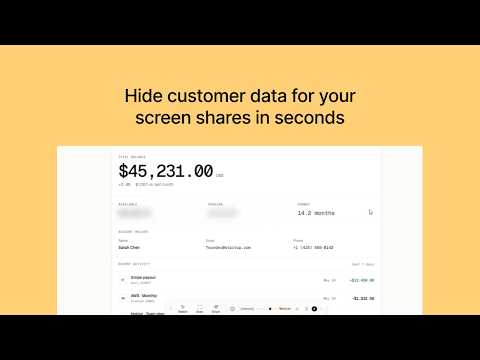
Instantly blur emails, balances and customer data in 1 click before you screen share on Zoom or record on Loom.
Hide email addresses, financial figures, and client names on any webpage in 1 click. Blurs stay locked in place even when you refresh or scroll. Blur It is the emergency privacy tool for live presentations and screen sharing. Don't panic when you realize sensitive customer data is on your screen during a Zoom meeting, Google Meet call, or Loom recording. Hover over any text, click, and it's blurred instantly. No video editors, no post-production, no accidental data leaks. Join 500+ professionals protecting client privacy during live demos and tutorials. ⚡️ BUILT FOR LIVE DEMOS & SCREEN RECORDING ✔ One-Click Blur: Hover over any email, balance, API key, or table row and click to blur instantly. ✔ Smart Blur: Auto-detect and redact emails, dollar amounts, and phone numbers across the whole page automatically. ✔ Draw Custom Blur Boxes: Drag a rectangle over complex charts, images, or entire UI sections to cover them completely. ✔ Persistent Privacy: Blurs stay active across page reloads and tab navigation. Set them up once before your call and forget about it. ✔ Adjustable Intensity: Soft blur for subtle context, or solid block when zero data should leak. ✔ Keyboard Shortcut: Quick toggle (Ctrl+Shift+S / Cmd+Shift+S) to launch the element selector fast. 🎯 BUILT FOR HIGH-STAKES PRESENTERS → B2B Sales Reps & Account Executives: Demo in Salesforce, HubSpot, or Stripe without exposing real client balances or emails. → Agency Founders & Consultants: Present live analytics and client dashboards in proposal calls without privacy risks. → Course Creators & Loom Power-Users: Record video tutorials without spending hours editing out private inbox messages or API keys in post-production. → Recruiters & Managers: Review compensation spreadsheets and candidate pipelines on live video calls safely. 🔒 100% LOCAL PRIVACY BY DESIGN Blur It processes everything locally inside your browser. We never transmit, record, or store what you redact. Zero cloud servers, zero tracking, and zero latency during live calls. 💰 7-DAY FREE TRIAL Try Blur It free for 7 days with full access to all Pro features. • Yearly Plan: $29.99/year (Only $2.50/mo, 7-day free trial) • Lifetime Access: $69.99 one-time payment Questions or feedback? Reach out directly at support@blur-it.app
4.1 out of 516 ratings
Details
- Version10.9.6
- UpdatedOctober 21, 2026
- FeaturesOffers in-app purchases
- Size95.0MiB
- Languages7 languages
- Developer
- Non-traderThis developer has not identified itself as a trader. For consumers in the European Union, please note that consumer rights do not apply to contracts between you and this developer.
Privacy

Blur It: 1-Click Blur for Screen Shares, Zoom & Loom has disclosed the following information regarding the collection and usage of your data. More detailed information can be found in the developer's privacy policy.
Blur It: 1-Click Blur for Screen Shares, Zoom & Loom handles the following:
This developer declares that your data is
- Not being sold to third parties, outside of the approved use cases
- Not being used or transferred for purposes that are unrelated to the item's core functionality
- Not being used or transferred to determine creditworthiness or for lending purposes
Support
For help with questions, suggestions, or problems, please open this page on your desktop browser