

Blur for WhatsApp Web – Privacy, Hide Chats & PIN Lock

Overview
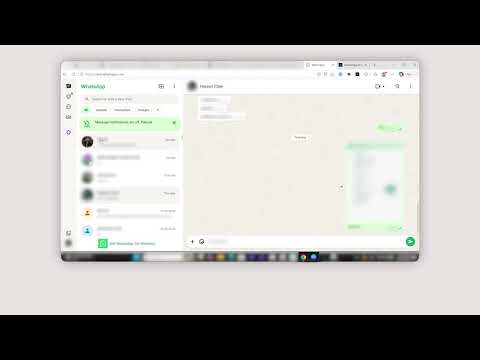
Blur or hide WhatsApp Web messages, media, names and previews. Lock reveal behind a 4-digit PIN and auto-blur when idle.
🔒 Blur for WhatsApp Web — Privacy blur & PIN lock Blur for WhatsApp Web is a Chrome privacy extension that hides your WhatsApp Web chats from anyone nearby. Blur messages, image captions, and link previews instantly — then lock your session behind a PIN so only you can reveal them. Built for open offices, cafés, shared computers, and screen sharing calls. If you use WhatsApp Web in a place where someone else might see your screen, this extension keeps your conversations private. ━━━━━━━━━━━━━━━━━━━━━━━━━━━━━━━━━━━━━ ⭐ KEY FEATURES ━━━━━━━━━━━━━━━━━━━━━━━━━━━━━━━━━━━━━ 🫧 One-click privacy blur Toggle blur on or off instantly from the extension popup. Hides messages, image captions, and link previews so nothing slips through. 🔐 PIN lock for WhatsApp Web Set a PIN to lock your session. When locked, a keypad replaces your chat view — no messages are visible until you unlock. 🚫 Full-screen lock option Optionally hide your entire chat window the moment you lock, not just individual messages. ⚡ Lock now Lock your session instantly with one tap before you step away from your desk or share your screen. ⏱ Smart auto-lock Choose how WhatsApp Web re-locks itself: • After a set time (timer) • After a period of inactivity • On every page reload • Stay unlocked for the session until you tap Lock now 🛡 Brute-force protection Too many wrong PIN attempts triggers a cooldown with a countdown timer, keeping snoopers locked out. 🔑 Recovery code Forgot your PIN? Reset access safely using your one-time recovery code. Save it somewhere secure after setup. 🎛 Adjustable blur and idle settings Control blur intensity and idle timeout using live sliders. Settings are saved automatically. ━━━━━━━━━━━━━━━━━━━━━━━━━━━━━━━━━━━━━ 🛡 HOW TO USE IT ━━━━━━━━━━━━━━━━━━━━━━━━━━━━━━━━━━━━━ 1. Install the extension and open WhatsApp Web. 2. Click the extension icon to blur your chats immediately. 3. Go to Settings → Security to set up your PIN. 4. Use "Lock now" to lock instantly, or let auto-lock handle it. 5. When locked, a keypad appears — enter your PIN to reveal your messages. 💡 Note: setting a PIN doesn't lock your current session right away. It activates on the next idle timeout, timer expiry, reload, or when you tap "Lock now." Save your recovery code somewhere safe before closing setup. ━━━━━━━━━━━━━━━━━━━━━━━━━━━━━━━━━━━━━ 🔐 PRIVACY ━━━━━━━━━━━━━━━━━━━━━━━━━━━━━━━━━━━━━ ✔ Works entirely in your browser — no external servers ✔ Your messages, PIN, and recovery code never leave your device ✔ No account required ✔ No data collection or tracking ━━━━━━━━━━━━━━━━━━━━━━━━━━━━━━━━━━━━━ ⚙ PERMISSIONS EXPLAINED ━━━━━━━━━━━━━━━━━━━━━━━━━━━━━━━━━━━━━ Storage — saves your PIN (hashed), blur settings, and idle preferences locally Active tab / Scripting — applies the blur overlay and PIN keypad on WhatsApp Web Host permissions (web.whatsapp.com) — limits the extension to WhatsApp Web only; it does not run on other sites ━━━━━━━━━━━━━━━━━━━━━━━━━━━━━━━━━━━━━ Blur for WhatsApp Web is built for remote workers, office professionals, frequent travelers, students in shared spaces, and anyone who wants their WhatsApp conversations to stay private — wherever they're working.
5 out of 51 rating
Details
- Version1.4
- UpdatedJuly 30, 2026
- Size183KiB
- LanguagesEnglish
- DeveloperOptimaGeeks LLCWebsite
548 Market St San Francisco, CA 94104-5401 USEmail
arslbbt@gmail.comPhone
+1 406-964-6201 - TraderThis developer has identified itself as a trader per the definition from the European Union and committed to only offer products or services that comply with EU laws.
- D-U-N-S129997640
Privacy

This developer declares that your data is
- Not being sold to third parties, outside of the approved use cases
- Not being used or transferred for purposes that are unrelated to the item's core functionality
- Not being used or transferred to determine creditworthiness or for lending purposes
Support
For help with questions, suggestions, or problems, visit the developer's support site