

Blogger Theme Updater
1 rating
)
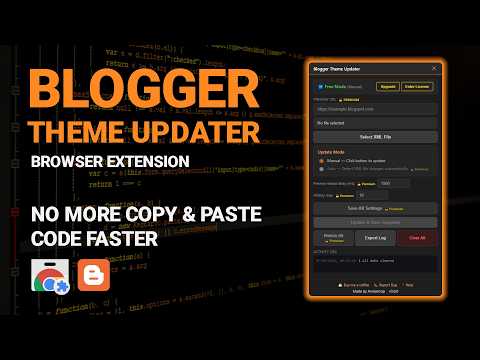
Overview
Update & save Blogger template from local XML file with manual or auto mode
Blogger Theme Updater is a browser extension that helps Blogger theme designers and developers work faster and more efficiently when building and maintaining Blogger templates. It is a help because you do not have to edit code directly in Bloggers HTML editor. You can use your code editor, such as Visual Studio Code or Notepad++ and send your changes to Blogger with just one click or automatically when you save your XML file. The problem with developing templates inside Bloggers HTML editor is that it has a lot of limitations. It does not have modern development tools and it does not support editor extensions. You also have to do a lot of copy-and-paste steps every time you want to preview your latest changes. Blogger Theme Updater solves these problems by letting you develop your templates in a coding environment while keeping Blogger updated with your latest work. Blogger Theme Updater has two development modes. * Manual Mode lets you update your template when you need to. You just open Bloggers Edit HTML page open the Blogger Theme Updater panel select your XML template file save your settings and click "Update & Save Template." * Auto Mode is for developers who want to work. After opening Bloggers Edit HTML page you enter your Preview Blog URL select your XML file enable Auto Mode save your settings and do the template update. Then every time you save your XML file the extension automatically detects the changes uploads the updated template to Blogger saves it and refreshes your preview page. This makes your workflow very simple: you write code save it and see the result. You do not have to copy and paste template code. You do not have to keep opening Bloggers HTML editor. You do not have to update your template after every change. For the experience use two monitors: one for your code editor and one for your Blogger preview page. Every time you save your changes they are. Your preview page refreshes automatically. To make sure Auto Mode works well you should disable your browsers Sleeping Tabs feature. Add Blogger pages to your browsers exception list. Blogger Theme Updater also has a backup system. Before every template update it saves the version as a backup. You can restore versions, recover backups or download backup files whenever you need to. You can also decide how many backups are stored. You can also control how long the extension waits before refreshing the preview page. This helps make sure Blogger has time to save the updated template and gives you a smoother workflow. Whether you are maintaining an existing Blogger theme or building one from scratch Blogger Theme Updater helps you spend time on repetitive tasks and more time writing code.
5 out of 51 rating
Details
- Version3.1.5
- UpdatedJuly 16, 2026
- FeaturesOffers in-app purchases
- Offered byapriliyanto741
- Size54.61KiB
- LanguagesEnglish (United States)
- DeveloperApriliyanto
Dusun Jagalan RT 07/RW 04, Desa Kebumen Kec. Sukorejo Kab. Kendal, Jawa Tengah 51363 IDEmail
blackzedo@gmail.comPhone
+62 851-5873-0013 - TraderThis developer has identified itself as a trader per the definition from the European Union and committed to only offer products or services that comply with EU laws.
Privacy

This developer declares that your data is
- Not being sold to third parties, outside of the approved use cases
- Not being used or transferred for purposes that are unrelated to the item's core functionality
- Not being used or transferred to determine creditworthiness or for lending purposes