


개요
Stay focused & improve productivity. Easily block any distracting and unproductive searches. Stop procrastination once and for all!
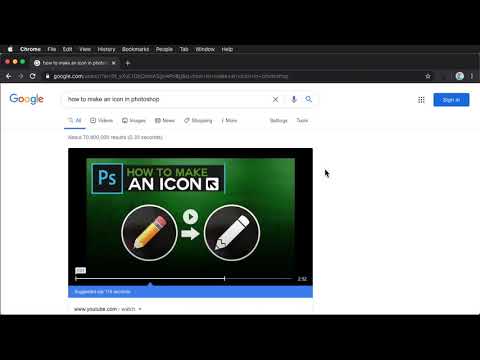
If blocking sites is not enough, unproductive searches must be blocked too. Example, you often need to search stackoverflow on google while debugging a problem. Just add the word stackoverflow on allowed searches. If you don't include the word stackoverflow on your google search, , e.g., css id not matching, this Blocked Search extension will block the search's results, you might be googling funny cats or latest gadgets instinctively! This extension will block that unproductive search and will only allow searches that pertains to stackoverflow, or other words or phrases added to the extension. To allow your search, you must search, e.g., stackoverflow css id not matching. Stay focused & improve productivity. Easily block any distracting and unproductive searches. Stop procrastination once and for all! 2.1.1 FIX: Exclude picture checkbox should be hidden when unblock search timer is set 2.1.0 NEW: It is now allowed to exclude the first picture when randomizing lockdown pictures UPDATE: Upgraded to manifest v3 2.0.0 NEW: Selecting the allowed word/phrase from the pop-up will search the word/phrase in new tab 1.0.1 HOTFIX: Numeric and alphanumeric was not working, e.g., 5700, 5700U. This is fixed now, numeric and alphanumeric are allowed to be searched 1.0.0: Search is now working for non-English searches 0.13.1: Word parser bugfixes: * "spider-man" search should not match the "spider" in the storage * "c#" search should not match the "c" in the storage * "asp.net" search should not matches the "asp" in the storage 0.13.0: Pictures can now be dragged and dropped to lockdown pictures. Improved word parser, e.g., ".net" is distinguished from "net". 0.11.2: Bugfix: Corrected search's word parser. 0.11.1: Bugfix: When in unblocked mode, clicking any part of the popup window with Block Search button, blocks the search. Blocking should only happen when user click the Block Search button, not the area surrounding it. Made a fix, blocking happens only when user clicks the Block Search button 0.11.0: Added help link. User is informed when the picture added is not an image. 0.10.1: Bugfix, next and back button for lockdown slides should not appear when there is only one picture. Made a fix. 0.10: Search can be unblocked for a period of time, default is 10 minutes, this can be changed by the user 0.9: Pictures uploaded by the user will be shown when search is in lockdown mode. User can upload inspiring pictures, or any pictures that can instill discipline to himself/herself 0.8.1: Bugfix for lockdown mode 0.8: Added lockdown mode
5점 만점에 3.7점평점 7개
세부정보
- 버전2.1.1
- 업데이트됨2021년 11월 2일
- 제공ienablemuch.cws.dev
- 크기615KiB
- 언어English (United States)
- 개발자
이메일
ienablemuch.cws.dev@gmail.com - 비판매자판매자로 식별되지 않은 개발자입니다. 유럽 연합에 거주하는 소비자의 경우, 이 개발자와 체결한 계약에 대해서는 소비자 권리가 적용되지 않을 수 있음을 유의해야 합니다.
개인정보 보호

개발자가 사용자 데이터에 관해 다음과 같이 선언했습니다
- 승인된 사용 사례를 제외하고 서드 파티에 판매하지 않음
- 항목의 핵심 기능과 관련 없는 목적으로 사용하거나 전송하지 않음
- 신용도 판단 또는 대출 목적으로 사용하거나 전송하지 않음
지원
질문, 제안 또는 문제와 관련하여 도움이 필요하면 데스크톱 브라우저에서 이 페이지를 여세요.