


ภาพรวม
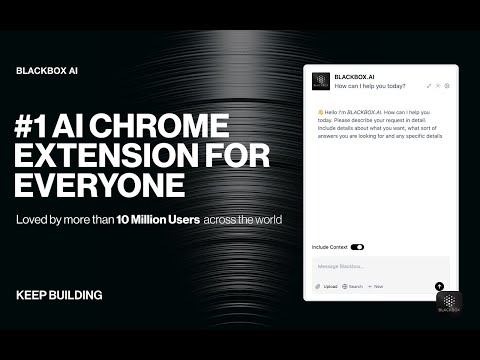
Getting Started with BLACKBOX AI Extension Seamlessly integrate BLACKBOX AI into your existing workflow to supercharge your…
Getting Started with BLACKBOX AI Extension Seamlessly integrate BLACKBOX AI into your existing workflow to supercharge your navigation experience. ### Code Chat: This is a walkthrough for using Code Chat to get answers to your coding questions: 1. Click on the Blackbox AI icon on the top right of your browser or click on "Manage Extension" then "Keyboard Shortcut" to assign a shortcut for opening the app. 2. Ask your coding question. 3. Get answers and suggestions in real-time. ### Add current page as context: To add the current page as context: 1. Click on the Blackbox AI icon on the top right of your browser or click on "Manage Extension" then "Keyboard Shortcut" to assign a shortcut for opening the app. 2. 1. Ensure "Include Context" option is activated. 3. Ask your question about page content. 4. Get answers and suggestions in real-time. ### Github Integration This is walkthrough for Github Integration : 1. When you view code on Github, you'll see a new button called "Code Chat" appear at the top of the code. 2. Ask your question about the code. 3. Get answers and suggestions in real-time. ### Image-To-Text This is walkthrough for OCR integration : 1. Press CTRL+E (Windows) or CMD+E (Mac) to activate OCR. 2. Select the zone. 3. Paste the result where you want.
2.7 จาก 5 คะแนนการให้คะแนน 1.2K รายการ
รายละเอียด
- รุ่น3.1.92
- อัปเดตแล้ว19 พฤษภาคม 2568
- ขนาด2.11MiB
- ภาษา2 ภาษา
- นักพัฒนาซอฟต์แวร์
- ไม่ใช่ผู้ค้านักพัฒนาซอฟต์แวร์รายนี้ไม่ได้ระบุว่าตัวเองเป็นผู้ค้า สำหรับผู้บริโภคในสหภาพยุโรป โปรดทราบว่าสิทธิของผู้บริโภคไม่มีผลกับสัญญาระหว่างคุณกับนักพัฒนาซอฟต์แวร์รายนี้
ความเป็นส่วนตัว
นักพัฒนาซอฟต์แวร์รายนี้ประกาศว่าข้อมูลของคุณจะ
- ไม่ถูกขายไปยังบุคคลที่สามหากไม่ใช่ Use Case ที่ได้รับอนุมัติ
- ไม่ถูกใช้หรือถูกโอนเพื่อวัตถุประสงค์ที่ไม่เกี่ยวข้องกับฟังก์ชันการทำงานหลักของรายการ
- ไม่ถูกใช้หรือถูกโอนเพื่อพิจารณาความน่าเชื่อถือทางเครดิตหรือเพื่อวัตถุประสงค์การให้สินเชื่อ
สนับสนุน
โปรดไปที่เว็บไซต์สนับสนุนของนักพัฒนาซอฟต์แวร์ หากมีข้อสงสัย ต้องการขอคำแนะนำ หรือพบปัญหาใดๆ