


Pregled
Getting Started with BLACKBOX AI Extension Seamlessly integrate BLACKBOX AI into your existing workflow to supercharge your…
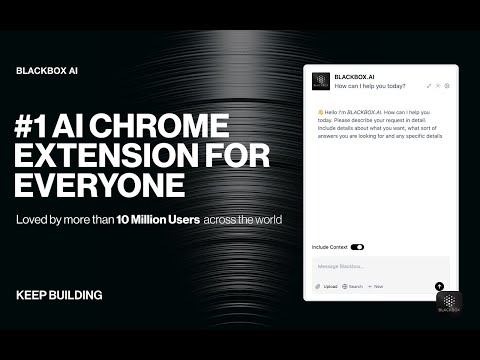
Getting Started with BLACKBOX AI Extension Seamlessly integrate BLACKBOX AI into your existing workflow to supercharge your navigation experience. ### Code Chat: This is a walkthrough for using Code Chat to get answers to your coding questions: 1. Click on the Blackbox AI icon on the top right of your browser or click on "Manage Extension" then "Keyboard Shortcut" to assign a shortcut for opening the app. 2. Ask your coding question. 3. Get answers and suggestions in real-time. ### Add current page as context: To add the current page as context: 1. Click on the Blackbox AI icon on the top right of your browser or click on "Manage Extension" then "Keyboard Shortcut" to assign a shortcut for opening the app. 2. 1. Ensure "Include Context" option is activated. 3. Ask your question about page content. 4. Get answers and suggestions in real-time. ### Github Integration This is walkthrough for Github Integration : 1. When you view code on Github, you'll see a new button called "Code Chat" appear at the top of the code. 2. Ask your question about the code. 3. Get answers and suggestions in real-time. ### Image-To-Text This is walkthrough for OCR integration : 1. Press CTRL+E (Windows) or CMD+E (Mac) to activate OCR. 2. Select the zone. 3. Paste the result where you want.
2,7 od 51,2 tis. ocen
Podrobnosti
- Različica3.1.92
- Posodobljeno19. maj 2025
- Velikost2.11MiB
- JezikiŠt. jezikov: 2
- Razvijalec
- Nisem posrednikTa izdajatelj se ni opredelil kot posrednik. Potrošniki v Evropski uniji morate upoštevati, da potrošniške pravice za pogodbe, sklenjene med vami in tem razvijalcem, ne veljajo.
Zasebnost

Ta razvijalec glede vaših podatkov izjavlja naslednje:
- Zunaj okvirov dovoljenih primerov uporabe se ne prodajajo tretjim osebam.
- Ne uporabljajo ali prenašajo se za namene, ki niso povezani s temeljno funkcijo izdelka.
- Ne uporabljajo ali prenašajo se zaradi ugotavljanja kreditne sposobnosti ali zaradi namenov posojanja denarja.
Podpora
Če potrebujete pomoč pri vprašanjih, predlogih ali težavah, obiščite spletno mesto za podporo razvijalca.