


Overview
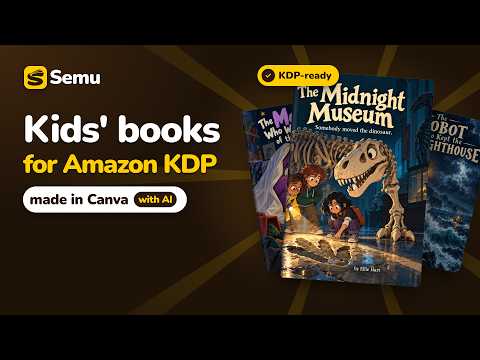
Make children's books for Amazon KDP inside Canva, with pictures from your own ChatGPT, Gemini or Grok.
Turn your idea into a children's book ready for Amazon KDP, without leaving Canva. No more writing prompts by hand, copying them into ChatGPT, then downloading every picture and uploading it back to Canva. Describe your book once: Semu writes the story and a picture prompt for every page, builds the whole book in Canva, and places each picture right on its page with one click. The pictures are made in your own ChatGPT, Gemini or Grok account. Semu also knows KDP's rules, so you don't have to: trim sizes, bleed, margins, spine width and cover size. It creates the book at the exact KDP size, keeps your text inside the safe area, sizes your wraparound cover from your page count, checks the book before you download it, and tells you what to type on each KDP page. FEATURES • A prompt box above every page: press the arrow and the picture is made in your own AI account and placed on the page. Choose ChatGPT, Gemini or Grok for each picture. • The same characters on every page: one Character Reference Image goes with every picture, together with your illustration style. • Edit by pointing: click a spot or drag over an area of a picture, write what should change, press Edit. • Many pictures at once, up to five at a time on each AI site, with "Watch live" to see any of them being made. • 50 illustration styles sorted by readers' age, or your own style picture. • A wraparound cover written with your book: front, spine and back with your title, tagline and back text, sized from your page count. • A check before you download (KDP's page limits, pages with no picture, pictures that may print soft) and help inside Canva's Download menu. • A KDP guide: every KDP field and what to put in it, with Copy buttons. Your AI writes the description, keywords and categories. • Works on your existing Canva designs too. • A whole book from one idea: the brief, the story, the text of every page and a picture prompt for every page, plus a title page, a copyright page and a "This book belongs to" page. • The exact KDP size: the Canva design is created at KDP's trim size, with bleed if you want it. HOW TO USE 1. Add Semu to Chrome and sign in with Google or a code sent to your email (free trial: pictures and edits for free, no card). 2. Be signed in to ChatGPT, Gemini or Grok in the same Chrome. 3. Open Canva and press the gold "Create your KDP book" button on Canva's home page.
5 out of 51 rating
Details
- Version0.4.1
- UpdatedOctober 23, 2026
- FeaturesOffers in-app purchases
- Size5.89MiB
- LanguagesEnglish
- DeveloperWebsite
Email
support@clear-mind.app - Non-traderThis developer has not identified itself as a trader. For consumers in the European Union, please note that consumer rights do not apply to contracts between you and this developer.
Privacy

Semu has disclosed the following information regarding the collection and usage of your data. More detailed information can be found in the developer's privacy policy.
Semu handles the following:
This developer declares that your data is
- Not being sold to third parties, outside of the approved use cases
- Not being used or transferred for purposes that are unrelated to the item's core functionality
- Not being used or transferred to determine creditworthiness or for lending purposes
Support
For help with questions, suggestions, or problems, visit the developer's support site