


Overview
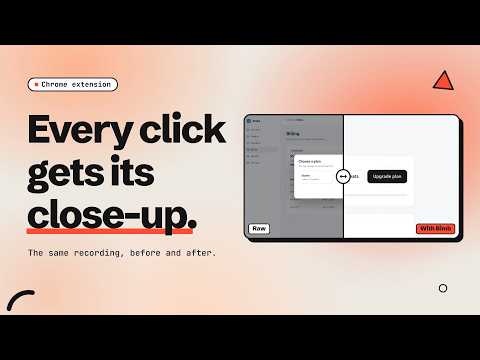
Record a browser tab and turn it into a polished demo video with automatic zoom. Everything stays on your device.
Bimb turns a browser recording into a polished demo video. Record a tab, a window or your whole screen, and Bimb zooms in wherever you click: no timeline fiddling, no keyframes. Then edit without editing: • Trim, cut sections out, and cut idle time automatically • Blur sensitive areas, add captions, arrows, highlight boxes and your logo • Choose a background, frame and aspect ratio (16:9, 1:1, 9:16) • Show keyboard shortcuts on screen and smooth the cursor • Export MP4, WebM or GIF up to 1440p60, with presets for social, docs, bug reports and PR walkthroughs Private by design: there is no account to record, and your recordings never leave your device. Everything is recorded, edited and exported inside your browser, on Windows, macOS and Linux. Free: recording, automatic zoom and a watermarked MP4 export. Bimb Pro (one-time purchase, no subscription): every editing control, WebM/GIF/1440p export, batch export and no watermark. Buy at https://bimb.dev and paste your license key into Bimb.
5 out of 53 ratings
Details
- Version0.2.1
- UpdatedOctober 15, 2026
- Size550KiB
- LanguagesEnglish
- DeveloperWebsite
Email
sahilnasariwala@gmail.com - Non-traderThis developer has not identified itself as a trader. For consumers in the European Union, please note that consumer rights do not apply to contracts between you and this developer.
Privacy

Bimb - Tab Recorder with Auto Zoom has disclosed the following information regarding the collection and usage of your data. More detailed information can be found in the developer's privacy policy.
Bimb - Tab Recorder with Auto Zoom handles the following:
This developer declares that your data is
- Not being sold to third parties, outside of the approved use cases
- Not being used or transferred for purposes that are unrelated to the item's core functionality
- Not being used or transferred to determine creditworthiness or for lending purposes
Support
For help with questions, suggestions, or problems, please open this page on your desktop browser