

AliExpress Coupon Finder & Promo Codes - AliOffers
3 ratings
)
Overview
Finds AliExpress coupon codes, keeps them, and shows which promo code your cart can use and which one needs a little more.
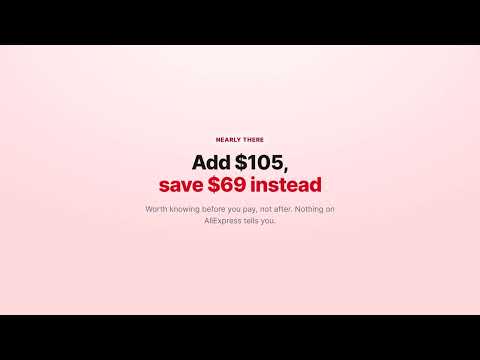
AliExpress hands out coupon codes everywhere: on product pages, in seller panels, in store promotions. Then it forgets them. By the time your cart is full you cannot remember which code you saw, what it needed, or whether it still works. AliOffers keeps them for you. HOW IT WORKS 1. Open "Coupons and discounts" on any AliExpress product page. Every code listed there is saved, along with the amount it takes off, the spend it needs, and the day it runs out. 2. Go to your cart or the order page. A panel appears beside the total and names the code that basket can use. 3. Click the code to copy it, then paste it into the promo field. WHAT IT TELLS YOU THAT ALIEXPRESS DOES NOT - Which saved code is worth the most on this basket, not just the first one that happens to work. - How much more you would need to spend for the next code up. A basket of $320 that is $105 short of a $69 coupon is worth knowing about before you pay, not after. - Which codes have run out, so you stop trying them. WORKS WHERE YOU SHOP Every AliExpress country site: .com, .us, .ru, .es, .fr, .it, .de, .nl, .pl, .pt, .uk, .id, .th, .vn, .co.kr, .com.br, .com.tr, .com.mx and .com.au. Prices are read in whatever currency the site shows, whether the symbol comes before the number or after it. NO SERVER, NO ACCOUNT, NO TRACKING Your codes are held in your own browser's storage. There is no sign up, no server to send them to, and no record of what you looked at. The extension reads two things on an AliExpress page and nothing else: the coupon panel and the basket total. It never touches your account, your addresses or your payment details. IT DOES NOT TOUCH YOUR CHECKOUT Some coupon extensions type codes into the page and click Apply for you. This one does not. It tells you which code to use and copies it when you click; you paste it yourself and see exactly what AliExpress does with it. Nothing is filled in, submitted or clicked on your behalf. AFFILIATE DISCLOSURE Product links open through an AliExpress affiliate link, which is how this extension is paid for. You land on the same page at the same price, and AliExpress pays the commission, not you. You can switch this off in Settings at any time and the extension keeps working exactly as before. PERMISSIONS, AND WHY - Storage: to keep your coupon codes in this browser. - AliExpress sites: to read the coupon panel and the basket total. - declarativeNetRequest: for the affiliate link described above, which is a single rule you can switch off. That is the whole list. No access to your tabs, your browsing history, your other extensions, or any site that is not AliExpress. Free. No account. No subscription.
5 out of 53 ratings
Details
- Version2.0.0
- UpdatedNovember 23, 2026
- Offered bySaxsos Inc
- Size37.6KiB
- LanguagesEnglish (United States)
- DeveloperSaxsos Inc
BH Builders Building, Balughat, Manikdi Dhaka Cantonment Dhaka 1206 BDEmail
coder.sagor@gmail.com - Non-traderThis developer has not identified itself as a trader. For consumers in the European Union, please note that consumer rights do not apply to contracts between you and this developer.
Privacy

This developer declares that your data is
- Not being sold to third parties, outside of the approved use cases
- Not being used or transferred for purposes that are unrelated to the item's core functionality
- Not being used or transferred to determine creditworthiness or for lending purposes
Support
For help with questions, suggestions, or problems, please open this page on your desktop browser