

Big Favorites Bar
1 rating
)
Overview
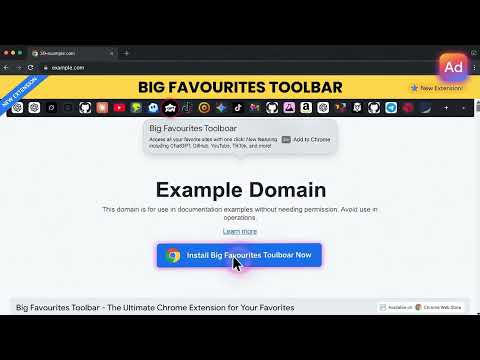
Shows your bookmarks bar with 2x favicon icons and labels in a fast popup.
Big Favorites Bar / Chrome Icon Enlarger improves the visibility of extension icons in the Chrome toolbar by making them larger, clearer, and easier to click. Chrome’s default extension icons can appear very small, especially on high-resolution monitors, large displays, or laptops with scaled UI settings. When you install many extensions, the toolbar quickly becomes cluttered and icons become difficult to recognize. This extension solves that problem by enlarging Chrome extension icons, making your toolbar easier to navigate and improving productivity. Whether you're a developer, power user, or someone who uses many browser tools, larger icons make a noticeable difference in everyday browsing. 🔧 Key Features ✔ Enlarges Chrome extension toolbar icons ✔ Improves visibility on high-resolution displays ✔ Makes extension buttons easier to click ✔ Works instantly after installation ✔ Lightweight and fast ✔ No configuration required ✔ Clean and simple design 💡 Why Use Bigger Chrome Toolbar Icons? Many Chrome users install 10–30+ extensions, including tools for: • development • productivity • crypto wallets • SEO tools • automation tools • password managers When the toolbar becomes crowded, Chrome shrinks the icons and they become difficult to see. Chrome Icon Enlarger fixes this usability issue by making icons larger and easier to identify. Benefits include: • faster access to extensions • easier visual recognition • improved accessibility • better usability on large monitors • cleaner toolbar layout 🖥 Perfect For • Developers using many extensions • Productivity power users • High-resolution or 4K monitors • Users with accessibility needs • Anyone tired of tiny toolbar icons ⚡ Lightweight and Private This extension is designed to be extremely lightweight and runs entirely inside your browser. It does not collect any data, does not track users, and does not send any information externally. Everything works locally inside Chrome. 🔓 Open Source This project is open source and available on GitHub: https://github.com/mysticalg/Chrome-Icon-Enlarger Contributions, feedback, and feature suggestions are welcome. 🚀 Improve Your Chrome Toolbar Today If you want a cleaner, clearer, and easier-to-use Chrome toolbar, Chrome Icon Enlarger is the perfect solution. Install it today and make your extension icons easier to see and use.
1 out of 51 rating
Details
- Version1.3.2
- UpdatedMarch 17, 2026
- Offered bydhookster
- Size21.71KiB
- LanguagesEnglish
- DeveloperDavid Hook
10 Marlborough Road Flat 10 Bournemouth BH4 8DG GBEmail
dhookster@gmail.com - Non-traderThis developer has not identified itself as a trader. For consumers in the European Union, please note that consumer rights do not apply to contracts between you and this developer.
Privacy

This developer declares that your data is
- Not being sold to third parties, outside of the approved use cases
- Not being used or transferred for purposes that are unrelated to the item's core functionality
- Not being used or transferred to determine creditworthiness or for lending purposes