


Overview
Every SEO tag, heading, image and link of a page — and what to fix first — in a side panel.
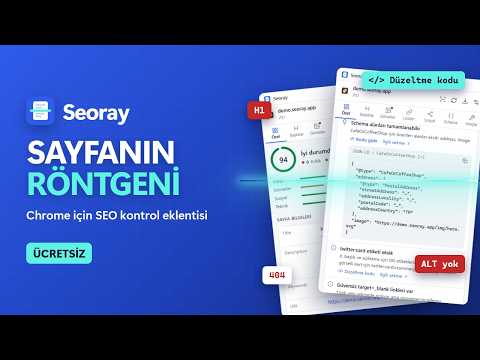
Seoray is an on-page SEO inspector that lives in Chrome's side panel. Open any website, click the Seoray icon, and see what the page tells search engines — and which problems to fix first. What you can do with Seoray: • Get a clear score and a prioritized to-do list for the page you are viewing. • Copy ready-made code to fix the problems Seoray finds, prefilled with the page's own content. • Turn on X-ray mode to mark headings, images without alt text and nofollow links right on the page. • Check the links on a page for broken links and redirects with one click. • Preview how the page may appear in search results and when it is shared on social media. • Compare the server's original HTML with the rendered page to spot content that only appears after JavaScript runs. • Click any heading, image or link in the panel to jump to it on the page. • Export the results as a report to share with your team or clients. Who it is for: site owners, marketers, developers and SEO specialists who want a quick, honest look at a page without signing up for anything. Privacy: no account, no ads, no tracking. The analysis runs in your browser and your browsing data is not sent anywhere. Access to all websites is optional and is only requested if you turn on automatic analysis or run a link check. Available in English and Turkish, with light and dark themes. Keyboard shortcut: Alt+Shift+S. Website: https://seoray.kariha.net Made by Kariha.
0 out of 5No ratings
Details
- Version1.0.1
- UpdatedOctober 6, 2026
- Size446KiB
- Languages2 languages
- DeveloperWebsite
Email
info@kariha.net - Non-traderThis developer has not identified itself as a trader. For consumers in the European Union, please note that consumer rights do not apply to contracts between you and this developer.
Privacy

This developer declares that your data is
- Not being sold to third parties, outside of the approved use cases
- Not being used or transferred for purposes that are unrelated to the item's core functionality
- Not being used or transferred to determine creditworthiness or for lending purposes
Support
For help with questions, suggestions, or problems, please open this page on your desktop browser