

Bidspot

Overview
Use your Chrome browser as a secure marketplace connector.
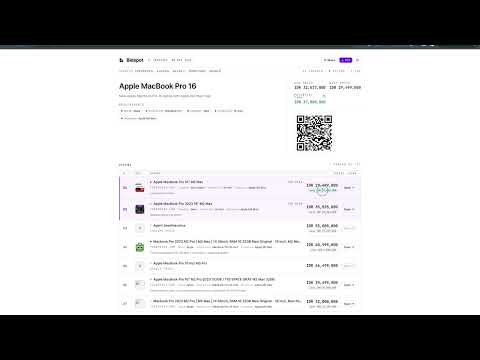
Bidspot turns your Chrome browser into a secure local proxy for Bidspot AI — a procurement assistant that searches marketplaces and finds the best prices for your business. HOW IT WORKS When you run a product search in Bidspot, the extension opens a hidden background tab, loads the marketplace page in your real browser (with full JavaScript rendering), and sends the results back to Bidspot's servers — exactly like a normal user visit. This avoids server-side blocks and CAPTCHAs that affect automated scrapers, while keeping your browsing experience completely uninterrupted. WHAT THE EXTENSION DOES • Opens a single persistent background tab to load marketplace pages • Navigates that tab silently — no new windows, no focus stealing • Sends page HTML back to Bidspot over an encrypted WebSocket (WSS) • Automatically closes the background tab after 3 minutes of inactivity WHAT THE EXTENSION DOES NOT DO • Does NOT read, collect, or transmit your personal browsing history • Does NOT inject scripts into pages you visit yourself • Does NOT access your passwords, form data, or cookies from your sessions • Does NOT run when you're not actively using Bidspot search • Does NOT store any page content — results are passed to Bidspot in memory and discarded SECURITY • The extension connects only to your Bidspot account via a secure token • Tokens expire after 1 year and can be revoked instantly from your account settings • All communication uses encrypted WebSocket (WSS/HTTPS) • The extension only activates when Bidspot sends a search request REQUIRED PERMISSIONS The extension needs access to all URLs because Bidspot searches marketplaces across many countries and domains — the full list changes dynamically based on your search. It's not possible to hardcode a fixed set of domains. GETTING STARTED 1. Install the extension 2. Go to app.usebidspot.com → Settings → Connectors 3. Click "Connect" in the extension popup 4. Run a product search — the extension will assist automatically Keep Chrome open while a search is running.
0 out of 5No ratings
Details
- Version0.4.0
- UpdatedMay 28, 2026
- Size13.72KiB
- LanguagesEnglish
- DeveloperKUDYMOV LTD
41 Stanhope Road St Albans AL1 5BJ GBEmail
max@radr.xyzPhone
+44 7901 270454 - TraderThis developer has identified itself as a trader per the definition from the European Union and committed to only offer products or services that comply with EU laws.
- D-U-N-S234655424
Privacy

Bidspot has disclosed the following information regarding the collection and usage of your data. More detailed information can be found in the developer's privacy policy.
Bidspot handles the following:
This developer declares that your data is
- Not being sold to third parties, outside of the approved use cases
- Not being used or transferred for purposes that are unrelated to the item's core functionality
- Not being used or transferred to determine creditworthiness or for lending purposes