

SmartGrab — Custom Web Data Extractor

Overview
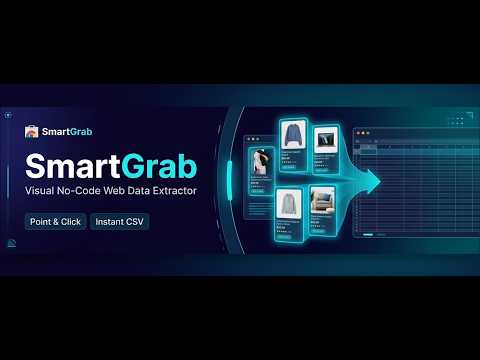
Create custom database mappings for any website, extract structured data via right-click or XPath, and export to CSV.
Turn any website into structured spreadsheets with point-and-click simplicity. SmartGrab is the ultimate no-code web data extractor and visual scraper for Chrome. Stop copying and pasting text line by line. Whether you are collecting eCommerce competitor pricing, gathering real estate listings, building B2B sales lead lists, or conducting academic research, SmartGrab lets you visually select the data you want and extract it directly into a clean CSV spreadsheet. Designed for standard Chrome Side Panel workflows, SmartGrab works silently on your active tab without complicated setups or server overhead. ━━━━━━━━━━━━━━━━━━━━━━━━━━━━━━━━━━━━ 🌟 KEY HIGHLIGHTS ━━━━━━━━━━━━━━━━━━━━━━━━━━━━━━━━━━━━ ✔ Point-and-Click Visual Picker — Simply hover, click an element, and assign it to a custom column. ✔ Smart Field Detection — Built-in resilient selector engine (powered by intelligent element detection and XPath) automatically extracts clean text, hyperlinks, and image URLs. ✔ Chrome Side Panel Integration — Keep your scraping workflow open side-by-side as you navigate multiple pages. ✔ Right-Click Context Menu — Highlight any text or element and send it straight into your custom database fields with a single right-click. ✔ 100% Private & Local Storage — Your captured data stays securely on your device in your browser's IndexedDB. Zero data harvesting. ✔ One-Click CSV Export — Download clean, spreadsheet-ready CSV files ready for Microsoft Excel, Google Sheets, or Notion. ━━━━━━━━━━━━━━━━━━━━━━━━━━━━━━━━━━━━ 👥 WHO IS SMARTGRAB FOR? ━━━━━━━━━━━━━━━━━━━━━━━━━━━━━━━━━━━━ • Lead Generation & Sales Teams: Build prospect lists from directories, social networks, and industry portals. • eCommerce Sellers & Dropshippers: Monitor product titles, competitor prices, availability, and customer reviews across Amazon, eBay, Shopify, and niche stores. • Recruiters & HR Specialists: Extract candidate profiles, job titles, locations, and skills from job boards. • Real Estate Agents & Investors: Scrape property prices, addresses, square footage, and agent details. • Researchers & Analysts: Collect article headlines, publication dates, and references across digital publications. ━━━━━━━━━━━━━━━━━━━━━━━━━━━━━━━━━━━━ 🚀 HOW IT WORKS IN 3 SIMPLE STEPS ━━━━━━━━━━━━━━━━━━━━━━━━━━━━━━━━━━━━ 1️⃣ Define Your Columns: Open SmartGrab in your Chrome Side Panel. Add the fields you want to collect (e.g., "Product Name", "Price", "URL", "Email"). 2️⃣ Select Your Elements: Use the visual target icon (🎯) to click on the elements on the web page, or right-click any element and select "SmartGrab > Map to Field". SmartGrab remembers your website configuration for all future visits! 3️⃣ Click Fetch & Save: Click "Fetch Data" to populate your form instantly from the current page, make any quick manual edits, and click "Save Record". Export your saved records to CSV whenever you're ready! ━━━━━━━━━━━━━━━━━━━━━━━━━━━━━━━━━━━━ ⚡ POWER-USER CAPABILITIES ━━━━━━━━━━━━━━━━━━━━━━━━━━━━━━━━━━━━ • Resilient Selectors: SmartGrab generates robust locator algorithms anchored to semantic HTML attributes (data-testid, unique IDs, itemprop, class hierarchies, and robust XPaths) so minor site redesigns won't break your workflow. • Manual XPath Editing: For developers and scraping veterans, easily inspect, edit, and fine-tune custom XPaths directly in the dashboard. • Status Tracking Pipeline: Assign statuses to your scraped records (e.g., New, Contacted, Reviewed, Archived) right inside your built-in dashboard. • Schema Import & Export: Share your website field configurations and XPath presets with teammates as reusable JSON templates. • Master Consolidated CSV: Combine records collected across dozens of different websites into one single unified spreadsheet. ━━━━━━━━━━━━━━━━━━━━━━━━━━━━━━━━━━━━ 🔒 PRIVACY & DATA SECURITY ━━━━━━━━━━━━━━━━━━━━━━━━━━━━━━━━━━━━ Your data belongs exclusively to you. • No cloud database uploads of your extracted records. • No third-party tracking or advertising scripts. • All saved records, website rules, and settings are stored locally in your browser's IndexedDB. ━━━━━━━━━━━━━━━━━━━━━━━━━━━━━━━━━━━━ 💎 TRANSPARENT PRICING ━━━━━━━━━━━━━━━━━━━━━━━━━━━━━━━━━━━━ SmartGrab offers a generous Free Tier to get you started immediately: 🟢 FREE TIER: • Up to 50 saved records in local storage • Up to 2 configured website domain profiles • Visual element picker & right-click mapping • Single-site CSV spreadsheet exports • Full light and dark mode support ⭐ SMARTGRAB PRO (No Auto-Debit Surprises): • Unlimited records storage (bypasses 50-record limit) • Unlimited website configurations (bypasses 2-domain limit) • Master Multi-Site CSV consolidated export • JSON mapping schema import & export • Custom workflow status pipeline • One-time access passes (Monthly, Annual, and Lifetime options) with zero surprise recurring auto-charges. ━━━━━━━━━━━━━━━━━━━━━━━━━━━━━━━━━━━━ 💬 SUPPORT & FEEDBACK ━━━━━━━━━━━━━━━━━━━━━━━━━━━━━━━━━━━━ Developed with precision by Premium Picks. We reply quickly to feature requests, licensing assistance, and website mapping questions! • Official Website: http://premiumpickssoftware.online • Support Email: office.premiumpicks@gmail.com
0 out of 5No ratings
Details
- Version1.0.0
- UpdatedNovember 8, 2026
- FeaturesOffers in-app purchases
- Offered byoffice.premiumpicks
- Size107KiB
- LanguagesEnglish
- Developer
Email
office.premiumpicks@gmail.com - Non-traderThis developer has not identified itself as a trader. For consumers in the European Union, please note that consumer rights do not apply to contracts between you and this developer.
Privacy

SmartGrab — Custom Web Data Extractor has disclosed the following information regarding the collection and usage of your data. More detailed information can be found in the developer's privacy policy.
SmartGrab — Custom Web Data Extractor handles the following:
This developer declares that your data is
- Not being sold to third parties, outside of the approved use cases
- Not being used or transferred for purposes that are unrelated to the item's core functionality
- Not being used or transferred to determine creditworthiness or for lending purposes
Support
For help with questions, suggestions, or problems, please open this page on your desktop browser