


Overview
Index, tag, search, and rename the brand assets in your Google Drive folder.
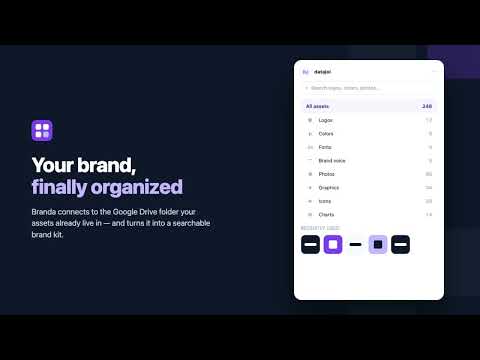
✨ Connect your Google Drive folder and turn it into a complete, structured brand kit in seconds. 🗂️ Organized Automatically Connect any folder and Branda scans every file—reading dimensions, pixel data, and naming conventions—to automatically organize your assets into clean categories: • 📁 Categories: Logos, Colors, Fonts, Brand Voice, Photos, Graphics, Icons, Charts. • 🎨 Palette Extraction: Colors are extracted directly from your visual assets, ranked by frequency of use, and ready to copy with a single click (HEX). 🔍 Find Anything in Seconds Locate the exact asset you need without digging through nested directories: • ⚡ Search: Query instantly by name, tag, or folder. • 🎛️ Visual Filters: Sort by dark, light, transparent background, orientation, or dimensions. • 📋 Quick Actions: Hover any asset to copy it straight to your clipboard or download it; click to inspect dimensions, edit custom tags, or view its isolated palette. 🏷️ Clean Names, Zero Regrets Standardize messy asset files without the risk of broken references: • 📝 Template-Based Batch Renaming: Use structured formats like {brand}-{type}-{variant}-{WxH}. • 👀 Safe Approvals: Review every staged change in an interactive preview before applying it. • ⏪ Full Reversibility: One-click rollback undoes the entire rename batch. Dragging files between folders is fully undoable as well. 🚀 Ship-Ready Store Compliance Stop guessing dimensions and guidelines for platform submissions. Branda maintains strict requirement checklists for: • 🌐 Chrome Web Store • ▶️ Google Play • 🍎 Apple App Store • 💼 Google Workspace Marketplace Branda highlights missing specifications automatically and suggests the nearest candidate file already in your folder. 📦 Import from Google Stitch Drop any Stitch project ZIP archive directly onto the panel: • ⚙️ Parses design tokens instantly. • 🗂️ Classifies, tags, and files all design assets automatically. • 🧹 Detects and eliminates duplicates via SHA content hashing. 🔒 Private by Design • 🛡️ 100% Client-Side: No external servers, no third-party AI APIs, and zero tracking analytics. • 🔗 Direct Network Access: The only network requests occur directly between your browser and the Google Drive API. • 💾 Persistent Metadata: Tags and categorizations are written directly to your Drive file metadata—they stay attached to your files and persist across reinstalls. ✨ Built FaaStr
0 out of 5No ratings
Details
- Version0.3.3
- UpdatedNovember 10, 2026
- FeaturesOffers in-app purchases
- Size378KiB
- LanguagesEnglish (United States)
- DeveloperWebsite
Email
david@datajoi.com - Non-traderThis developer has not identified itself as a trader. For consumers in the European Union, please note that consumer rights do not apply to contracts between you and this developer.
Privacy

Branda — Brand Asset Manager has disclosed the following information regarding the collection and usage of your data. More detailed information can be found in the developer's privacy policy.
Branda — Brand Asset Manager handles the following:
This developer declares that your data is
- Not being sold to third parties, outside of the approved use cases
- Not being used or transferred for purposes that are unrelated to the item's core functionality
- Not being used or transferred to determine creditworthiness or for lending purposes
Support
For help with questions, suggestions, or problems, please open this page on your desktop browser