

FNS Shield
1 rating
)
Overview
Warns you about fake virus alerts and tech-support scam pages, with a real local shop to call. Plan required.
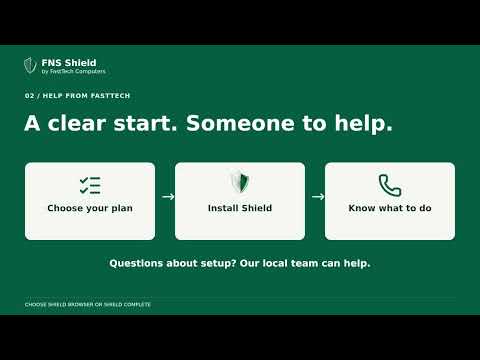
Scam protection. Real people. FNS Shield helps you recognize common online scams while you browse in Chrome. It checks the page on your computer and shows a clear warning when it finds signs commonly used by scammers. WHAT SHIELD BROWSER LOOKS FOR • Fake virus alerts and threatening tech-support popups. • Pages asking you to call a supposed support number. • Command-paste instructions that try to get you to run something in Windows. • Suspicious pages promoting remote-access downloads. • Websites on FNS Shield's signed block list. When a warning appears, read it before continuing. The main action gives you a clear way to leave the page. If something feels wrong, call the local FastTech Computers team at 941-477-8324. GETTING STARTED A paid FNS Shield plan is required for protection. If you buy on shield.fasttechpc.com, the checkout (or your account page) switches the extension on for you: there is nothing to type. Otherwise, enter the email address associated with your plan and open the sign-in link on the same computer to finish setup. If you do not have a plan yet, you can choose one through the Shield website or contact the shop for help. Available plans, prices and terms are at https://shield.fasttechpc.com. This extension provides browser protection. Warnings when remote-access programs open on Windows require the separate Shield Complete desktop program and an eligible plan; installing this extension alone does not monitor programs running on your computer. PRIVACY Scam detection processes page content and URLs locally. FNS Shield does not automatically upload your browsing history or page contents, and it has no browsing analytics or advertising tracking. It downloads signed protection and license-revocation lists. When you request a sign-in link, your email address goes to shield.fasttechpc.com. During license activation and binding retries, it sends the license credential, a random installation identifier, the extension platform, and the extension's version number so your plan can be assigned to the right device and we can tell which version it runs. About once a day, while protection is on, an already-activated install sends that same information again as a check-in, so we know which version each computer is running and when it was last seen; an install whose protection is not active does not send it at all. When your plan has renewed, the answer can include your renewed license, which the extension keeps only after checking that it is genuinely ours, for this installation and newer; the check-in never switches protection off. If you choose Report a false warning, it opens an email draft containing the page URL and warning type; the draft is sent only if you send it. FNS Shield cannot catch every scam, is not antivirus, and does not replace Windows Security or careful judgment. Built and supported by FNS Computer Technology, LLC / FastTech Computers in Port Charlotte, Florida. Support: support@fasttechpc.com · 941-477-8324 Privacy: https://shield.fasttechpc.com/privacy
5 out of 51 rating
Details
- Version1.0.11
- UpdatedNovember 3, 2026
- Offered byFNS Computer Technology, LLC
- Size794KiB
- LanguagesEnglish
- DeveloperFNS Computer Technology, LLC
2320 S Tamiami Trl Unit 7 Port Charlotte, FL 33952-3948 USEmail
support@fasttechpc.comPhone
+1 941-500-2690 - TraderThis developer has identified itself as a trader per the definition from the European Union and committed to only offer products or services that comply with EU laws.
- D-U-N-S027971397
Privacy

FNS Shield has disclosed the following information regarding the collection and usage of your data. More detailed information can be found in the developer's privacy policy.
FNS Shield handles the following:
This developer declares that your data is
- Not being sold to third parties, outside of the approved use cases
- Not being used or transferred for purposes that are unrelated to the item's core functionality
- Not being used or transferred to determine creditworthiness or for lending purposes