

WalkBack for TweetDeck
Oversigt
This extension allows for fast consumption of tweets with hotkeys
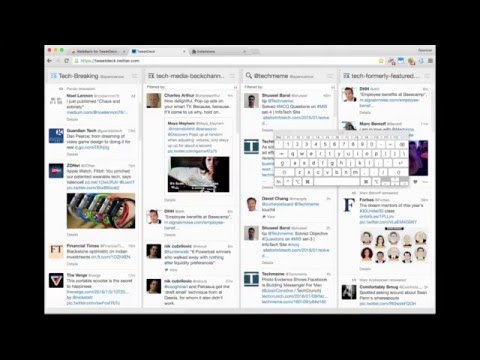
WalkBack lets TweetDeck users scroll many columns at once. Scrolls are one page length, so a "pageUp" or "pageDown" - revealing a whole page of new content. For news and Twitter junkies, this is super useful. TO START: Press "\" (above 'Enter') to ENABLE HOTKEYS and minimize the Sidebar. ^^ - ( this is so you can still type tweets without triggering other actions.) To disable hotkeys, simply hit "\" again. Pressing 'i' will "pageDown" Pressing 'u' will "pageUp" the columns. Pressing 'o' returns columns to top. Pressing 'y' returns columns to previous position Pressing '\' (backslash) toggles the left dashboard - freeing up a bit of space, toggles hotkeys. * Super minimalist interface -- no visual alterations to TweetDeck just new hotkeys * The actions affect the first 6 columns in TweetDeck (when it first loads up). The window must be in focus (and the sidebar minimized (by hitting "\")) for key bindings to work. PRIVACY POLICY - ADDED JULY 5, 2016 WalkBack is only authorized to work on TweetDeck at tweetdeck.twitter.com - and it does not store any sensitive user information.
5 ud af 53 bedømmelser
Oplysninger
- Version1.4.0
- Opdateret16. november 2017
- Størrelse78.93KiB
- SprogEnglish
- UdviklerWebsite
Mail
currentkeystats@gmail.com - Ikke forhandlerDenne udgiver har ikke angivet sig selv om forhandler. Hvis du er kunde i EU, skal du være opmærksom på, at forbrugerrettighederne ikke gælder for kontrakter, der indgås mellem dig og denne udgiver.
Privatliv
