

BetterTheatre - Enhanced Twitch Theatre Mode

Overview
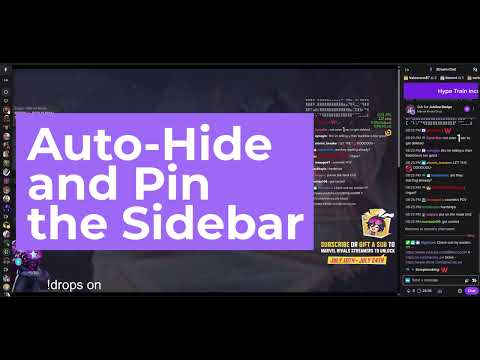
Pinning Panels, Auto-Hide Chat, Persistent Flow. Scroll on volume slider to adjust volume! Enjoy an enhanced Theatre Mode.
Take complete control over your Twitch viewing experience. BetterTheatre is the ultimate browser extension for Twitch users who love Theatre Mode but hate losing access to their favorite chat layout. We’ve rebuilt the Theatre Mode experience to give you the clean, uninterrupted video flow you want, without sacrificing the community interaction you need. ✨ Key Features 📌 Pinning Panels Tired of elements disappearing when you switch modes? Pin exactly what you want to lock it on screen. Keep your favorite specific layout elements permanently visible exactly where you left them. 💬 Auto-Hide Chat Keep your screen perfectly clean without losing your layout. Chat automatically fades away when you're focused on the action and reappears instantly when you need it. No more manual toggling! 🔊 Scroll to Volume Seamlessly adjust the stream volume just by hovering over the player's volume slider and scrolling your mouse wheel. Quick, intuitive, and no clicking required! 🚀 Why BetterTheatre? Standard Twitch Theatre mode is great for video size but terrible for multitasking and navigation. BetterTheatre bridges that gap. Whether you're a heavy chatter, a lurker, or someone who jumps between dozens of live channels, this extension ensures your Twitch layout adapts to you, not the other way around. No bloated features, no performance drops - just a significantly better Twitch Theatre mode.
0 out of 5No ratings
Details
- Version1.2.3
- UpdatedSeptember 27, 2026
- Offered by20minCode
- Size319KiB
- LanguagesEnglish
- Developer
Email
20minCode@gmail.com - Non-traderThis developer has not identified itself as a trader. For consumers in the European Union, please note that consumer rights do not apply to contracts between you and this developer.
Privacy

This developer declares that your data is
- Not being sold to third parties, outside of the approved use cases
- Not being used or transferred for purposes that are unrelated to the item's core functionality
- Not being used or transferred to determine creditworthiness or for lending purposes
Support
For help with questions, suggestions, or problems, please open this page on your desktop browser