

BetterMeet: Volume Control for Google Meet
3 ratings
)
Overview
Set the volume of each person in your Google Meet calls, mute anyone just for you, and watch screen shares in true full screen.
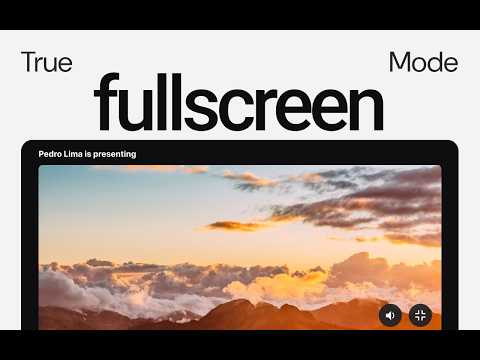
Meet still can't do what voice chat apps have done for years: let you choose how loud each person is. BetterMeet adds that, along with a few other things the call screen has been missing. NEW FEATURE: SHARE A SPECIFIC WINDOW'S AUDIO 🎉 When you share a window in Meet, the call now hears only that window instead of your whole computer. Present a video, a song or a demo, and your notifications, music and other tabs stay with you. On by default, and you can turn it off in the popup. Right-click anyone in the call, on their video or in the People list, and a slider appears just for them, from 0% to 200%. Turn down the loud mic, boost the person who whispers, or silence someone only for yourself. Nobody else hears a difference and nobody is notified. WHAT YOU GET • Per-person volume: 0% to 200% for each participant, independent of everyone else • Mute for yourself: silence one person without muting them for the call. A "Muted for you" badge marks their video • Mixer: one panel at the bottom-left of the call with every participant and their slider • Remembers people: levels are saved by name, so the same people sound right in your next meeting. Review or forget them from the popup • True full screen for screen shares: watch a presentation or live share on a black stage, like a video player, with no toolbar, faces or menus on top. Esc brings you back • Window audio only: sharing a window sends that app's sound, not everything playing on your computer HOW TO USE 1. Join a call on Google Meet 2. Right-click a person's video or their name in the People panel 3. Wait for the detection 4. Drag the slider to change the volume PRIVACY BetterMeet has no servers, no account and no analytics. Nothing leaves your device. It runs only on meet.google.com and asks for a single permission, storage, which keeps your saved levels in your own browser. BetterMeet is an independent project and is not affiliated with, sponsored or endorsed by Google. Google Meet is a trademark of Google LLC.
5 out of 53 ratings
Details
- Version0.1.2
- UpdatedOctober 11, 2026
- Offered byTrackr
- Size534KiB
- LanguagesEnglish
- Developer
Email
contact@trackr.fm - Non-traderThis developer has not identified itself as a trader. For consumers in the European Union, please note that consumer rights do not apply to contracts between you and this developer.
Privacy

BetterMeet: Volume Control for Google Meet has disclosed the following information regarding the collection and usage of your data. More detailed information can be found in the developer's privacy policy.
BetterMeet: Volume Control for Google Meet handles the following:
This developer declares that your data is
- Not being sold to third parties, outside of the approved use cases
- Not being used or transferred for purposes that are unrelated to the item's core functionality
- Not being used or transferred to determine creditworthiness or for lending purposes