


Overview
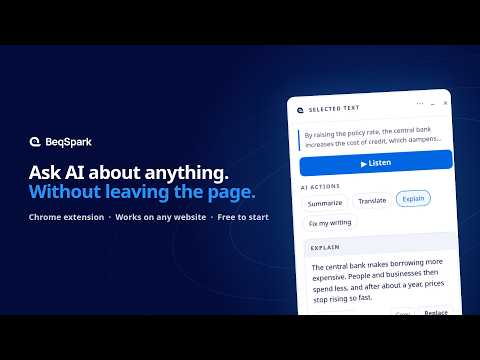
Select any text to explain, summarize or translate it with AI, or run your own actions and put the answer back in the page.
Select any text on the web and ask AI about it, right where you are. No copy-paste, no switching to another tab. What you can do • Explain: a dense paragraph in plain words. • Summarize: a long article in a few lines. • Translate: a passage into your language. • Ask: follow-up questions about what you selected, or about the whole page. Type them, or press the mic and say them. BeqSpark already knows the text. • Your own actions: save the prompts you use every day, like "fix my grammar" or "make it more formal", as one-click buttons. Run one on what you wrote in an email, a form or a doc, and replace it in place, with an action's answer, an Ask answer or just the part of it you highlight. • Screen text: snip a video frame, an image or a scan, and use its text. • Listen and learn: have any selection read aloud with each word highlighted, save new words and practise pronunciation. • Off where you don't want it: hide BeqSpark on a website until you reload, or for good, with one click or Alt+Shift+H. The toolbar icon shows OFF there. How it works Select text and BeqSpark's card appears beside it. Choose an action, or use the keyboard. The answer appears next to the text, and you can copy it, read it aloud or put it back into the page. Plans Free to start with 50 credits. Plus and Pro add monthly credits and premium voices. Prices and details: https://beqspark.com/pricing Privacy Nothing is sent until you choose an action. The text you select goes to our servers and, through them, to the AI service that produces the answer. We don't keep it unless you switch on your own Activity history, which is off by default, encrypted, and visible only to you. We never sell your data or use it for advertising. Full policy: https://beqspark.com/privacy BeqSpark is made by BEQODIA LTD, a company registered in England and Wales (no. 15908740), London, United Kingdom.
0 out of 5No ratings
Details
- Version1.8.1
- UpdatedOctober 22, 2026
- FeaturesOffers in-app purchases
- Size1.12MiB
- LanguagesEnglish
- DeveloperBEQODIA LTDWebsite
71-75 Shelton Street Covent Garden LONDON WC2H 9JQ GBEmail
contact@beqodia.comPhone
+44 7488 818861 - TraderThis developer has identified itself as a trader per the definition from the European Union and committed to only offer products or services that comply with EU laws.
- D-U-N-S232430234
Privacy

BeqSpark: ask AI about any text has disclosed the following information regarding the collection and usage of your data. More detailed information can be found in the developer's privacy policy.
BeqSpark: ask AI about any text handles the following:
This developer declares that your data is
- Not being sold to third parties, outside of the approved use cases
- Not being used or transferred for purposes that are unrelated to the item's core functionality
- Not being used or transferred to determine creditworthiness or for lending purposes
Support
For help with questions, suggestions, or problems, visit the developer's support site