

Best Screenshot
3 ratings
)
Overview
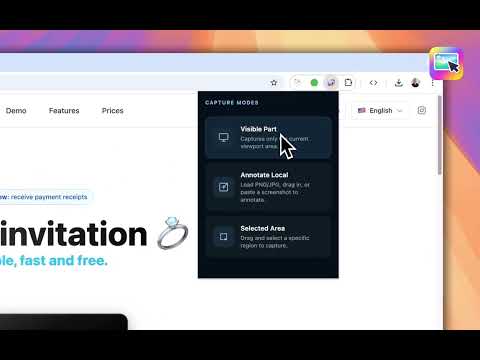
Screenshot and screen capture tool for instant annotations on any selected area — perfect for feedback, bugs, and tutorial.
The best screenshot and screen capture tool for instant visual feedback — perfect for bug reports, design feedback, and step-by-step tutorials. Need to report a bug, give design feedback, or create a tutorial? Best Screenshot makes it fast, clean, and effortless. Who is Best Screenshot for? ▸ Developers & QA teams ▸ Designers & Product teams ▸ Teachers & Content creators ▸ Support teams ▸ Anyone who needs to communicate visually and quickly Privacy You Can Trust: Everything runs 100% locally in your browser. No servers. No accounts. No data collection. Your screenshots never leave your machine.
5 out of 53 ratings
Details
- Version2.0.0
- UpdatedAugust 14, 2026
- Offered byDM Tecnologia ltda
- Size876KiB
- Languages54 languages
- Developer
Email
diogo@diogomachado.com - Non-traderThis developer has not identified itself as a trader. For consumers in the European Union, please note that consumer rights do not apply to contracts between you and this developer.
Privacy

This developer declares that your data is
- Not being sold to third parties, outside of the approved use cases
- Not being used or transferred for purposes that are unrelated to the item's core functionality
- Not being used or transferred to determine creditworthiness or for lending purposes
Support
For help with questions, suggestions, or problems, please open this page on your desktop browser