

개요
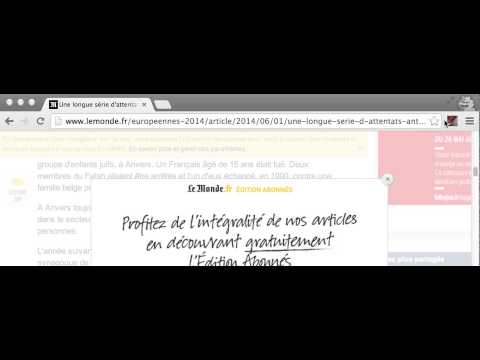
One click to close any overlay on any website.
Close any overlay on any website with a single click or keys. Use keyboard shortcut on Windows ctrl+shift+x or on MacOS cmd+shift+x (think about x as the close button you can use on any website). Once you get used to the keyboard shortcut, you'll be using it all the time and gonna love it ! ; ) Important features: * It works on any website. It doesn't rely on a static list of rules, as some other extensions. * It doesn't require any permissions. * No performance impact on your browsing. It will only activate when triggered. * (NEW) Also removes blurred backgrounds and unlocks the scroll bar. Important changes 0.2.2 - 05/01/2024 Update to make it work with the latest versions of Chrome that only supports manifest v3. 0.2.1 - 16/03/2022 Better handling for the scrollbar unblocker thanks to @ricobl on github (issue #23). 0.2.0 - 24/04/2021 Removes blurred backgrounds and improved scroll detection thanks to @sandsmark on github (issue #29). 0.1.3 - 18/06/2014: A keyboard shortcut is now available and activated by default: For windows, linux: CTRL+SHIFT+X For MacOS: CMD+SHIFT+X To remember X key, think of X as a close button. The scrolling enabler now got better, thanks to jordansexton on github. Improving the algorithm for finding overlays. --- Reach out on Github to make suggestions: https://github.com/NicolaeNMV/BehindTheOverlay Now an Firefox extension is also available ! I'm using this extension myself and happy to share it with everyone ! <3
5점 만점에 4.2점평점 358개
세부정보
- 버전0.2.2
- 업데이트됨2024년 1월 6일
- 제공NicolaeNVM
- 크기56.97KiB
- 언어English
- 개발자
이메일
nick.namolovan@gmail.com - 비판매자판매자로 식별되지 않은 개발자입니다. 유럽 연합에 거주하는 소비자의 경우, 이 개발자와 체결한 계약에 대해서는 소비자 권리가 적용되지 않을 수 있음을 유의해야 합니다.
개인정보 보호

개발자가 사용자 데이터에 관해 다음과 같이 선언했습니다
- 승인된 사용 사례를 제외하고 서드 파티에 판매하지 않음
- 항목의 핵심 기능과 관련 없는 목적으로 사용하거나 전송하지 않음
- 신용도 판단 또는 대출 목적으로 사용하거나 전송하지 않음
지원
질문, 제안 또는 문제와 관련하여 도움이 필요하면 데스크톱 브라우저에서 이 페이지를 여세요.