


Overview
Beagle Sequence Recorder captures login processes, user workflows, and OAuth flows for deeper security testing.
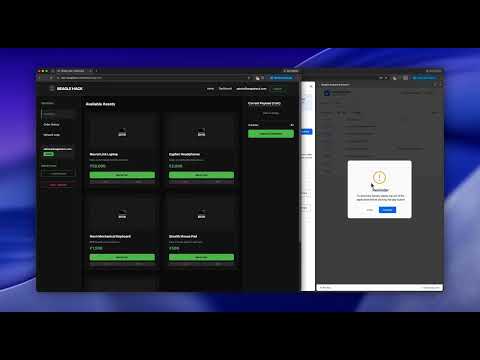
For web applications with a login module, Beagle Security allows you to submit a recording of the login sequence. This allows our testing engine to replay the sequence and log in to the application to perform a grey box penetration test. With an intuitive interface, it empowers you to capture, verify, and reuse login actions seamlessly. Key Features: - Login Recorder Capture and replay login workflows, including form submissions, page navigation, and authentication steps required to access your application. - Scenario Recorder Record user journeys and application workflows beyond login, enabling Beagle Security to test authenticated functionality and deeper application attack surfaces. - OAuth 2.0 Authentication Recorder Configure OAuth 2.0 authentication to enable secure access to protected resources during automated security testing. - Playback & Verification Replay recorded login and scenario sequences directly in your browser to validate that every action is captured correctly before submitting them for testing. - Seamless Integration with Beagle Security Submit recorded authentication and scenario flows directly to Beagle Security, enabling comprehensive grey-box penetration testing of authenticated areas. - Simple & Intuitive Interface Easily record, review, verify, and manage authentication and user workflow recordings through a clean and user-friendly experience. To get started with the login recorder, follow these steps: 1. Install the Plugin: Add the Beagle Login Recorder from the Chrome Web Store. 2. Access the Plugin: Once installed, locate the Beagle Security icon in the extensions section next to the address bar. 3. Set Up Tokens: Open the extension and enter your access token and application token. 4. Start Recording: Click Record to begin capturing your login sequence. A browser window will open with the application linked to your application token. 5. Complete Login Steps: Perform the login actions as usual, and the plugin will record all your inputs and interactions. 6. Stop Recording: Once finished, stop the recording. 7. Replay for Verification: Use the Play option to test the recorded sequence within your browser to confirm it works as intended. 8. Integrate with Beagle: Submit the sequence to Beagle to provide authentication for your security scans, ensuring authenticated penetration testing is conducted seamlessly.
4.5 out of 56 ratings
Details
- Version1.1.0
- UpdatedJune 19, 2026
- Size582KiB
- LanguagesEnglish
- DeveloperWebsite
Email
info@beaglesecurity.com - Non-traderThis developer has not identified itself as a trader. For consumers in the European Union, please note that consumer rights do not apply to contracts between you and this developer.
Privacy

Beagle Sequence Record has disclosed the following information regarding the collection and usage of your data. More detailed information can be found in the developer's privacy policy.
Beagle Sequence Record handles the following:
This developer declares that your data is
- Not being sold to third parties, outside of the approved use cases
- Not being used or transferred for purposes that are unrelated to the item's core functionality
- Not being used or transferred to determine creditworthiness or for lending purposes
Support
For help with questions, suggestions, or problems, please open this page on your desktop browser