


Overview
A risk-managed crypto trading co-pilot. Paper trading first. Nothing executes without your confirmation.
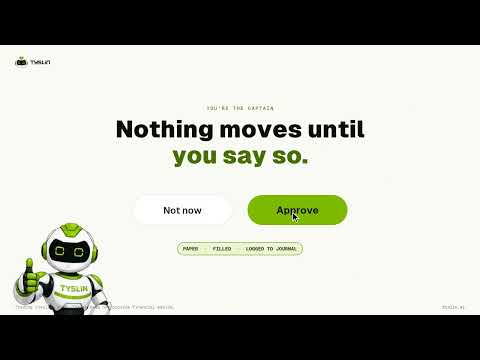
Tyslin is a crypto trading co-pilot that lives in Chrome's side panel. You talk to a friendly robot, by text (or by voice on Paid). It reads the market and, when it sees one, it shows a setup that fits your own risk rules. You decide what happens next. Your rules come first - Set your max risk per trade and your daily loss limit. Tyslin won't suggest a trade that goes past either one. - Position size is calculated by code from the distance to your stop. The AI never picks the size. - Optional portfolio rules: a minimum reward-to-risk, a cap on open positions and a cap on total open risk. You approve every trade - Each setup appears on a card: entry, stop, size, risk %, reward-to-risk and confidence, with the reasoning behind it. - The Approve button is the only way to send an order. There's no auto-approve, and no approval by voice, chat text or keyboard shortcut. - You can drag the stop or target on the card's chart. The size is recalculated by code before you decide. Paper trading first - New accounts start in paper mode, so no real money is used. - Exchange keys are optional. Start with read-only keys. Keys that can withdraw or transfer funds are refused. A journal that keeps itself - Every setup, decision and exit is logged with the reasoning from your chat. - On Paid, ask your journal questions, like "how do my breakout trades do?" Also in the panel - Small price charts in the chat, a live price ticker and a watchlist of up to 12 coins. - A News tab with today's and upcoming market events and the latest crypto headlines. Information only, never a trade signal. - Chat history: open, continue or delete past chats. - Works next to any tab, including your exchange or charting site. Scope Spot crypto on centralized exchanges. Binance, Bybit and OKX can be connected today. Plans Free: paper trading with 10 setups a day, text chat, the journal and one exchange. Paid (early access): unlimited setups, voice, journal questions and more than one exchange. The risk rules are the same on both plans. Tyslin does not give financial advice. Crypto trading is risky and you can lose money. Nothing executes without your explicit confirmation. Made by ReactiveSpace. Website: https://tyslin.ai · Contact: info@tyslin.ai
0 out of 5No ratings
Details
- Version0.1.0
- UpdatedOctober 16, 2026
- Size359KiB
- LanguagesEnglish (United States)
- DeveloperWebsite
Email
umar@reactivespace.com - Non-traderThis developer has not identified itself as a trader. For consumers in the European Union, please note that consumer rights do not apply to contracts between you and this developer.
Privacy

Tyslin — Trading co-pilot has disclosed the following information regarding the collection and usage of your data. More detailed information can be found in the developer's privacy policy.
Tyslin — Trading co-pilot handles the following:
This developer declares that your data is
- Not being sold to third parties, outside of the approved use cases
- Not being used or transferred for purposes that are unrelated to the item's core functionality
- Not being used or transferred to determine creditworthiness or for lending purposes
Support
For help with questions, suggestions, or problems, visit the developer's support site