


Overview
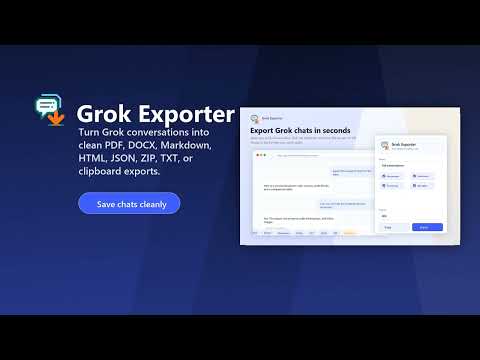
Export Grok chats to polished PDF and editable Word documents while preserving code, tables, images and formatting locally.
Save your Grok conversations as polished PDF documents, editable Word files, and useful local archives — without copying and reformatting messages by hand. Grok Exporter helps you turn research, coding discussions, explanations, reports, and working notes into documents you can keep, edit, and share. Choose the latest response, an entire conversation, or specific messages, then export in the format that fits your workflow. EXPORT THE CONVERSATION YOU NEED - Export the latest response or a full conversation. - Select individual messages using checkboxes directly on the Grok page. - Save several conversations together using batch export. - Choose custom message ranges with Pro. - Keep code blocks, tables, lists, mathematical content, and supported images readable. PDF AND EDITABLE WORD DOCUMENTS Create a polished PDF for reading, sharing, or archiving, or an editable Word (.docx) document for reports and further work. PDF options include page size, orientation, margins, cover pages, headers, footers, and a table of contents. You can review the PDF before completing the save process. Word exports preserve document structure so you can continue editing the content in Microsoft Word or another compatible application. MORE EXPORT OPTIONS WITH PRO Use Markdown for technical documentation and notes, HTML for reusable content, JSON for structured records, or ZIP for exporting multiple conversations. Export formats and options depend on your Free or Pro plan. FREE — START WITHOUT AN ACCOUNT Free includes: - PDF, Word, TXT, and clipboard exports for individual conversations. - Full-conversation exports containing up to 40 messages. - Selected-message exports containing up to 12 messages. - One successful batch-export trial with up to three conversations. Free full-conversation exports include a watermark. You can begin exporting without creating an account. PRO — FOR LONGER CONVERSATIONS AND ADVANCED WORKFLOWS Pro unlocks: - Full exports of conversations longer than 40 messages. - Larger selected-message exports. - Custom message ranges. - Markdown, HTML, JSON, and ZIP formats. - Batch exports of up to ten conversations. - Watermark-free full-conversation exports. Pro is available for $3/month, $25/year, or $50 lifetime. Monthly and yearly subscriptions can be canceled, with access continuing until the end of the paid period. If you start checkout from the extension, automatic activation is supported after verified payment. You can also restore your purchase by email on another browser or device. BUILT FOR REAL GROK CONVERSATIONS Grok conversations may contain long answers, code, tables, and messages that load dynamically as you scroll. Grok Exporter is designed to work with these layouts while preserving message order. If a conversation cannot be fully retrieved, the extension provides recovery guidance instead of silently presenting an incomplete export as successful. Works with supported conversations on grok.com and x.com/i/grok. PRIVACY FIRST Your conversation exports are processed locally in your browser. Grok conversation content and exported files are not uploaded to our licensing service. Anonymous product analytics are disabled by default. You can explicitly enable them in Settings. When enabled, analytics use limited operational information, such as export outcomes, coarse message counts, supported host categories, and feature usage. Conversation text, titles, source URLs, filenames, email addresses, and license keys are excluded from these events. You can export supported local settings and history or clear extension data from Settings. WHAT'S NEW IN VERSION 1.4.0 - Improved handling of long and dynamically loaded conversations. - Clearer feedback when extraction is incomplete or an export needs to be retried. - More accurate PDF save and completion feedback. - Improved batch extraction, including cancellation and partial-failure guidance. - More reliable Pro activation, license recovery, and device-state updates. - Improved language switching and settings reliability. - Stronger consent controls and more reliable delivery of optional analytics events. GET STARTED 1. Open a conversation on grok.com or the Grok page on X. 2. Open Grok Exporter from your browser toolbar. 3. Choose what you want to export. 4. Select PDF, Word, or another available format. 5. Export and save your file. Support: https://grok.export.anhbui.dev/contacts Privacy policy: https://grok.export.anhbui.dev/privacy Grok Exporter is an independent browser extension and is not affiliated with or endorsed by xAI, Grok, or X.
0 out of 5No ratings
Details
- Version1.4.0
- UpdatedNovember 15, 2026
- FeaturesOffers in-app purchases
- Size669KiB
- Languages10 languages
- DeveloperWebsite
Email
btanh82@gmail.com - Non-traderThis developer has not identified itself as a trader. For consumers in the European Union, please note that consumer rights do not apply to contracts between you and this developer.
Privacy

Grok Exporter - PDF & Word has disclosed the following information regarding the collection and usage of your data. More detailed information can be found in the developer's privacy policy.
Grok Exporter - PDF & Word handles the following:
This developer declares that your data is
- Not being sold to third parties, outside of the approved use cases
- Not being used or transferred for purposes that are unrelated to the item's core functionality
- Not being used or transferred to determine creditworthiness or for lending purposes
Support
For help with questions, suggestions, or problems, visit the developer's support site