

TableExport AI
1 rating
)
Overview
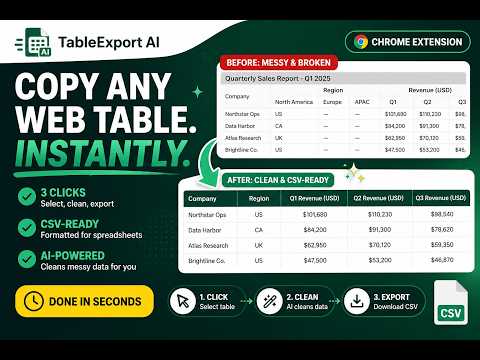
Extract tables from web pages, then clean, preview, edit, and export them.
The TableExport AI Chrome extension lets you extract any web table and turn it into a clean, structured CSV in seconds. Instead of the old workflow — copy, paste, fix, reformat — TableExport AI gives you a simple 3-step process: Click the table → Auto-clean → Export CSV The extension is built specifically for real-world web data, handling messy layouts, inconsistent rows, and nested headers automatically. You can preview the cleaned data before exporting, so you know exactly what you’re getting. Whether you’re doing research, lead generation, operations work, or data entry, this tool saves hours of manual cleanup and eliminates errors. 🔹 Works on real HTML tables across the web 🔹 Automatically cleans and normalizes data 🔹 CSV-ready for Excel, Google Sheets, or your CRM 🔹 No technical setup required If you regularly work with web data, this is one of the fastest ways to streamline your workflow and take your time back.
5 out of 51 rating
Details
- Version0.1.0
- UpdatedApril 29, 2026
- FeaturesOffers in-app purchases
- Offered byISMacPhee
- Size77.0KiB
- LanguagesEnglish
- DeveloperMobixia LLC
2175 NC-261 Bakersville, NC 28705-9784 USEmail
ismacphee@gmail.comPhone
+1 828-260-1719 - TraderThis developer has identified itself as a trader per the definition from the European Union and committed to only offer products or services that comply with EU laws.
Privacy

TableExport AI has disclosed the following information regarding the collection and usage of your data. More detailed information can be found in the developer's privacy policy.
TableExport AI handles the following:
This developer declares that your data is
- Not being sold to third parties, outside of the approved use cases
- Not being used or transferred for purposes that are unrelated to the item's core functionality
- Not being used or transferred to determine creditworthiness or for lending purposes
Support
For help with questions, suggestions, or problems, visit the developer's support site