


Overview
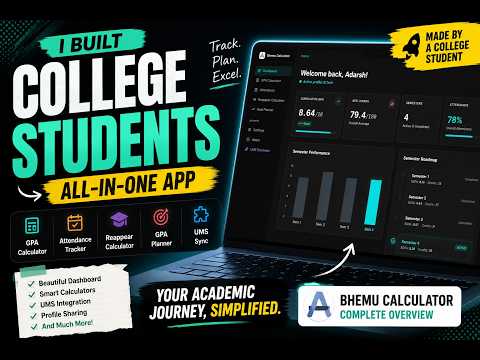
Sync your LPU UMS grades, marks, and attendance to bCampus with one click.
UMS Data Sync automatically fetches your academic data from the LPU University Management System and syncs it to your bCampus account. Features: - One-click sync of all semester grades and marks Attendance sync - Secure — data saved to your own Google account via Firebase - No manual data entry needed This extension is designed for LPU (Lovely Professional University) students who use bCampus for GPA tracking. Required: You must have an active UMS session (logged into ums.lpu.in) for the sync to work. Privacy Policy: https://campus.bhemu.in/privacy-policy.html
5 out of 53 ratings
Details
- Version1.2.6
- UpdatedSeptember 2, 2026
- Size981KiB
- LanguagesEnglish
- DeveloperWebsite
Email
adarsh3699@gmail.com - Non-traderThis developer has not identified itself as a trader. For consumers in the European Union, please note that consumer rights do not apply to contracts between you and this developer.
Privacy

bCampus - UMS Sync has disclosed the following information regarding the collection and usage of your data. More detailed information can be found in the developer's privacy policy.
bCampus - UMS Sync handles the following:
This developer declares that your data is
- Not being sold to third parties, outside of the approved use cases
- Not being used or transferred for purposes that are unrelated to the item's core functionality
- Not being used or transferred to determine creditworthiness or for lending purposes
Support
For help with questions, suggestions, or problems, visit the developer's support site