


Overview
A collection of productivity utilities designed for Microsoft Dynamics 365 Business Central.
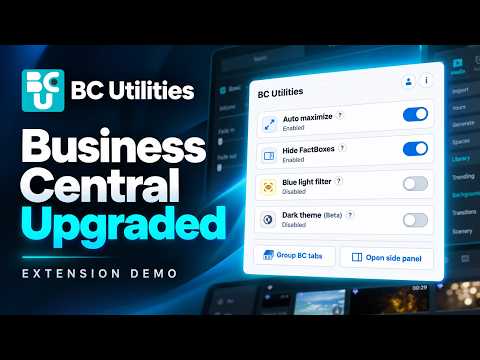
BC Utilities helps you create a cleaner, roomier, and more comfortable workspace in Microsoft Dynamics 365 Business Central. Shaped with Sabre Limited, a Microsoft Dynamics 365 Business Central partner and our official design partner. Operated by Edom Media Inc. Not affiliated with or endorsed by Microsoft. The extension can automatically open Business Central pages in wide layout, optionally collapse the FactBox pane, apply a dark theme, and add an adjustable warm blue light filter. Instead of repeatedly changing layout controls as you navigate Business Central, the extension detects the built-in controls and applies your saved preferences. BC Utilities works without an account. You can optionally create an account and connect the extension using a passwordless email verification code to sync supported settings across connected browsers and machines. Why install it: - Reduces repeated clicks while working in Business Central - Opens pages in wide layout automatically - Optionally collapses the FactBox pane for more workspace - Adds a dark theme for Business Central - Adds an optional blue light filter with adjustable intensity for a warmer screen tone - Includes simple on/off switches for each utility - Groups unpinned Business Central tabs in the current window, adds new BC tabs to the existing group, or ungroups them - Keeps controls handy in a side panel/sidebar and Business Central right-click menu - Offers notifications for BCU updates and announcements, with an on/off switch - Saves preferences locally when used without an account - Optionally syncs supported settings through a connected account - Lets you view and disconnect connected browsers - Lets you manually adjust layout controls when needed without immediately forcing them back - Applies workspace changes only on Business Central pages - Does not collect or transmit Business Central records or page content Dark theme note: The dark theme is currently a beta feature. Business Central’s interface changes over time, so some areas may need ongoing updates as Microsoft adjusts the UI. The theme will continue to improve as new screens and edge cases are found.
5 out of 57 ratings
Details
- Version1.0.13
- UpdatedNovember 17, 2026
- Size395KiB
- LanguagesEnglish
- DeveloperWebsite
Email
info@edommedia.com - Non-traderThis developer has not identified itself as a trader. For consumers in the European Union, please note that consumer rights do not apply to contracts between you and this developer.
Privacy

BC Utilities has disclosed the following information regarding the collection and usage of your data. More detailed information can be found in the developer's privacy policy.
BC Utilities handles the following:
This developer declares that your data is
- Not being sold to third parties, outside of the approved use cases
- Not being used or transferred for purposes that are unrelated to the item's core functionality
- Not being used or transferred to determine creditworthiness or for lending purposes
Support
For help with questions, suggestions, or problems, visit the developer's support site