


Overview
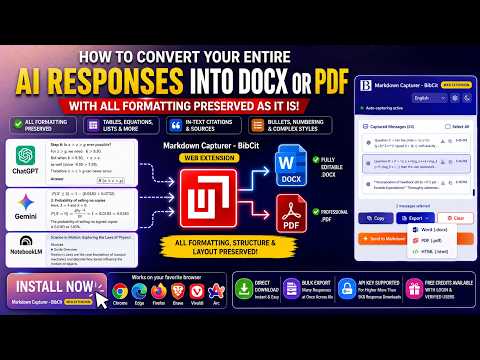
Capture Markdown and download docx and pdf from ChatGPT, Gemini, and Google Search.
Version 3.4 ------------------------------------- Improved user experience. Newest capture message is on top of list in message center. Version 3.3: Minor change Gemini copy button fixed. Version 3.2: Major changes 1. Separated Notebooklm from Markdown Capturer as it deserver separate extension. 2. Added copy button to google search AI result 3. Bug fixed Guest mode. 4. Disconnection issue resolved. Version 3.1 - Chatgpt copy bug fixed. Version 3.0 - User reported bug fixed. Update: Works with Chagtp and Gemini in guest mode also. --------------------------------------------------------------------------- Version 2.9 - Updated few error message. Version 2.7 – Now Docx, PDF can be downloaded directly from extension itself. For advance feature like editing and combining from multiple source user will still need MassiveMark editor from bibcit.com ✅ Added support for Google NotebookLM. ✅ Export NotebookLM conversations into clean Markdown. ✅ Convert source numbers to intext Citations and references for NotebookLM outputs with style selection option. ✅ Improved formatting compatibility for AI-generated research notes. ✅ Better capture reliability and export performance. Markdown Capturer - BibCit now works even better for researchers, students, and knowledge workers using NotebookLM for AI-assisted research and note-taking. Thank you for using BibCit! More improvements and platform support are coming soon. ------------------------------------------------------------------ What's New in Version 2.4: Minor bug fix. What's New in Version 2.3: ✅ Language Support - We've added langugage support so that user can use it in native language. ✅ ChatGpt - We have fixed error on chatgpt, due to recent update in chatgpt copy button was not working on individual chat, we have fixed it in this version. ✅ Same Great Functionality - All markdown capture features work perfectly without the debugger permission. Use BibCit's Markdown Capturer Web Extension to Copy and export AI responses from ChatGPT and Gemini. Markdown Capturer-BibCit allows users to copy their ChatGPT and Gemini AI content in true markdown format. It adds a one-click button to copy responses in proper markdown format. Users have an option to copy responses from ChatGPT and Gemini either one by one or even have an option to bulk export the entire thread of conversations in markdown file format. In a dedicated message manager it automatically saves conversations locally and lets you download complete threads as markdown files. Ideal for developers, writers, students, researchers, and professionals who work with markdown in their notes, documentation, or knowledge bases. Copy once, paste AI responses as markdown format into any markdown editor of your choice including BibCit's Massivemark without need for manual reformatting. Commitment to Privacy: No access to your passwords or sensitive data on other sites Only active on AI platforms (ChatGPT and Gemini) where you explicitly use it Your data stays local on your device
4.1 out of 522 ratings
Details
- Version3.4
- UpdatedOctober 1, 2026
- Offered byBibCit
- Size364KiB
- Languages20 languages
- Developer
Email
bibcithelp@gmail.com - Non-traderThis developer has not identified itself as a trader. For consumers in the European Union, please note that consumer rights do not apply to contracts between you and this developer.
Privacy

This developer declares that your data is
- Not being sold to third parties, outside of the approved use cases
- Not being used or transferred for purposes that are unrelated to the item's core functionality
- Not being used or transferred to determine creditworthiness or for lending purposes
Support
For help with questions, suggestions, or problems, please open this page on your desktop browser