


Overview
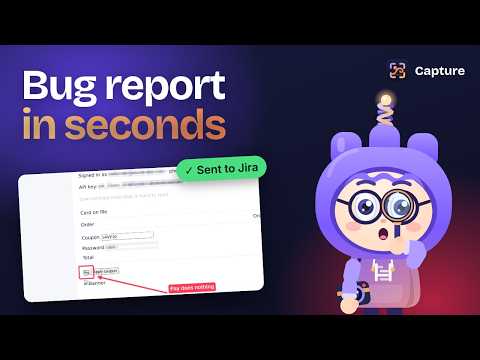
Report bugs from any web page: screenshot, replay, console and network details, sent straight to Jira, GitHub or Linear.
Bastion Helix Capture turns "it's broken" into a bug report developers can act on, without leaving the page. Click the Capture icon (or press Alt+Shift+B) and choose: - Screenshot: what you see now - Select area: crop to one part - Full page: top to bottom, stitched for you - Point at it: click the broken part to get its exact selector and a red box around it - Instant replay: keeps the last 30 seconds of the tab in memory, so you can report a bug after it happens Every report includes what developers usually have to ask for: - Console errors and crashes the page didn't catch - Failed and slow network requests (address, status and time; never request bodies or headers) - Files that didn't load - Steps to reproduce, written from your clicks and typing (typed text is left out unless you turn it on) - Speed: largest content shown, layout shift, slowest interaction, server response, page load - Browser, system, window, screen, zoom, language and time zone - Accessibility checks on the element you point at: contrast, missing labels, small click targets - A short brief written for AI coding agents, plus a "Copy fix prompt" button Privacy comes first: - Emails, card numbers, phone numbers, long ID numbers, passwords and access tokens are blurred in the screenshot and replaced in the text before anything leaves the page - "What's sent" shows exactly what will leave your browser - Turn Capture off for any site, and add your own parts of pages to always blur - Reports go from your browser straight to your own tracker. They never pass through Bastion Helix servers, and there is no account to create. - Automatic blur covers screenshots and text. It can't blur a video, so watch a replay before you send it. Send reports to: - Jira Cloud: project, type, priority and labels; screenshot and replay attached - GitHub Issues: optionally keep screenshots in a "bastion-capture" branch so they show in the issue - Linear: screenshot and replay uploaded to the issue - Or download one HTML file with everything in it, or copy the report as text Saves the team time: - Duplicate check: before filing, Capture searches your tracker for the same error and offers "Add to it" - Offline? The report waits and sends itself when the connection is back - Team code: share one code so everyone files reports to the same place with the same privacy rules (tokens are never in the code) Free during early access, with every feature on. If paid plans are introduced, they will be announced on bastionhelix.com before anything changes. Capture runs on a page only when you use it, or from page load on sites where you turn on "Record errors and steps here".
0 out of 5No ratings
Details
- Version0.1.1
- UpdatedOctober 17, 2026
- Size180KiB
- LanguagesEnglish
- DeveloperMA TEJ THIMMAIAHWebsite
#353/8, site no 9, Kaverappa Layout, Nagaraja Block, Panathur new extn, Panathur Bengaluru, Karnataka 560103 INEmail
support@bastionhelix.comPhone
+91 81975 28001 - TraderThis developer has identified itself as a trader per the definition from the European Union and committed to only offer products or services that comply with EU laws.
Privacy

Bastion Helix Capture: bug reports has disclosed the following information regarding the collection and usage of your data. More detailed information can be found in the developer's privacy policy.
Bastion Helix Capture: bug reports handles the following:
This developer declares that your data is
- Not being sold to third parties, outside of the approved use cases
- Not being used or transferred for purposes that are unrelated to the item's core functionality
- Not being used or transferred to determine creditworthiness or for lending purposes
Support
For help with questions, suggestions, or problems, visit the developer's support site