

BannerSwap - Swap Images on Any Website
1 rating
)
Overview
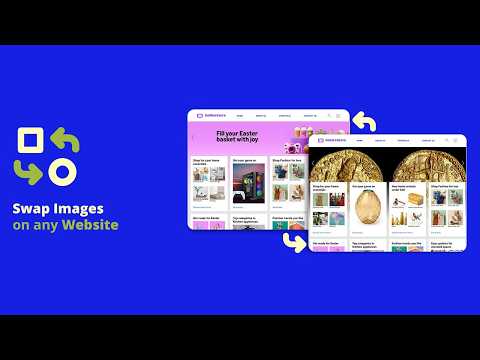
Replace any image on any website instantly. Perfect for testing banners and design layouts.
Instantly preview banners, graphics, and design layouts on any website. It’s the perfect tool for designers, developers, marketers, and UI/UX professionals who need to quickly test how images will look on real webpages. Instead of editing the site or using complicated developer tools, simply click an image and swap it instantly. KEY FEATURES Swap Images Instantly Click any image on a webpage and replace it with your own image to preview designs directly on the live layout. Floating Control Panel: Use a draggable floating panel to enable editing, adjust image fit modes, and capture screenshots without interrupting your workflow. Image Fit Options: Control how replacement images fit inside the original container with different fit modes. Exact Image Dimensions: Hover over images to see their exact pixel dimensions. Perfect for designers creating banners or graphics that need to match the original size. Capture Screenshots: Capture screenshots of your design previews and share them with clients or team members. Perfect For • Web designers testing banner placements • Developers previewing new graphics • UI/UX designers reviewing layouts • Marketing teams testing promotional banners • Anyone who wants to quickly experiment with website visuals How It Works: 1- Enable BannerSwap from the floating panel 2- Hover over images to see their dimensions 3- Click any image you want to replace 4- Upload your replacement image Adjust the fit mode if needed Your new image appears instantly on the page. Why Use BannerSwap? • Test designs directly on live websites • No coding required • No need to modify the website • Instantly preview banners and graphics • Lightweight and easy to use Privacy BannerSwap works locally in your browser and does not collect, store, or transmit any personal data.
5 out of 51 rating
Details
- Version1.1.0
- UpdatedApril 22, 2026
- Offered byzawano
- Size24.74KiB
- LanguagesEnglish
- Developer
Email
nawazaahr@gmail.com - Non-traderThis developer has not identified itself as a trader. For consumers in the European Union, please note that consumer rights do not apply to contracts between you and this developer.
Privacy

This developer declares that your data is
- Not being sold to third parties, outside of the approved use cases
- Not being used or transferred for purposes that are unrelated to the item's core functionality
- Not being used or transferred to determine creditworthiness or for lending purposes