

BannerBye
2 ratings
)
Overview
Cookie banners, killed. Before they load.
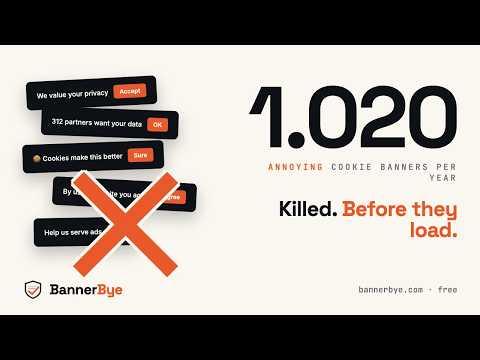
Cookie banners, killed before they load. Every website wants your "consent." Every page asks you to choose between accept, reject, or wade through a 30-page settings menu. The banners take over the screen. The "reject" button is hidden. You click "accept" because you want to read the article. Then the next site asks you again. And the next. BannerBye stops it. Set your privacy once, and the extension handles every cookie banner before it reaches you — silently, automatically, on every site. ────────────────────── HOW IT WORKS BannerBye uses four independent signal layers, applied in order, so it works whether the site uses a known consent platform, a custom banner, or nothing at all: 1. Global Privacy Control (GPC) — the extension adds the official "Sec-GPC" header to your browser's outgoing requests, telling websites you do not consent to the sale or sharing of your personal data. This is a public web standard, recognised by law in a growing number of US states and increasingly across the EU. 2. IAB TCF v2.2 signal — when a site uses the Transparency & Consent Framework (the standard most major European publishers and ad-tech vendors use), BannerBye answers the consent call on your behalf with a "reject all" string, before the banner has a chance to render. 3. Known-platform engine — most banners are built on one of a few hundred common consent management platforms (OneTrust, Cookiebot, Didomi, Sourcepoint and many more). BannerBye recognises these and follows the exact "reject" steps for each one — hiding the banner before it finishes drawing, then refusing on your behalf. This layer is powered by the open-source Autoconsent ruleset (MPL-2.0) and covers hundreds of platforms out of the box. 4. Auto-click fallback — for sites with a custom-built consent UI that matches no known platform, the extension reads the visible button labels and clicks "Reject all" or "Necessary only" for you. When a banner hides its reject option one level deep ("Customize" → "Reject"), BannerBye steps into the panel and refuses there too. ────────────────────── ALWAYS IMPROVING — REVIEWED BY AI New consent banners appear every day, so BannerBye keeps learning — without waiting for a new release. When you report a site BannerBye missed, the analysis starts right away: the site is checked, and once Anthropic's Claude reviews and approves the new "reject" pattern, it is published — usually within hours, not on a fixed schedule. Claude's review means the extension only ever learns to click genuine "reject" and "settings" buttons, never "accept." Every copy of the extension then picks up the updated list automatically. You can see recently handled sites at bannerbye.com/fixed. ────────────────────── WHAT MAKES BANNERBYE DIFFERENT ▸ Privacy by absence. We collect nothing. No accounts. No analytics. No telemetry. No usage tracking. There is no business model that depends on knowing what you do online. ▸ Local-only data. The extension stores your settings on your own device, in your browser's storage. Nothing is sent to a server. Nothing leaves your machine. ▸ Minimal, background-only network use. Periodically, in the background, the extension fetches a static JSON file from bannerbye.com containing updated button labels in different languages. The request contains no identifying information about you. ▸ Open source, auditable. The full source code is public under the MIT license: github.com/BannerBye/BannerBye. You don't have to trust this listing — read the code. ────────────────────── WHAT BANNERBYE DOES NOT DO ▸ It does not read the content of pages you visit beyond the cookie banner itself. ▸ It does not collect or transmit form data, passwords, or anything you type. ▸ It does not run analytics, A/B tests, or feature flags. ▸ It does not phone home with crash reports or performance data. ▸ It does not contain third-party advertising or tracking SDKs. ▸ It does not sell, share, or rent any data — there is no data to sell, share, or rent. ────────────────────── WHAT YOUR BROWSER'S PERMISSION WARNING MEANS When you install BannerBye, your browser shows a permission warning along the lines of "this extension can read and change all your data on the websites you visit." That same warning appears for every extension that needs access to page content. It describes what BannerBye is technically capable of doing, NOT what it actually does. What BannerBye actually does on every page: ▸ Reads the page DOM to detect cookie banners ▸ Sends a "no consent" signal (GPC, IAB TCF) ▸ Recognises known consent platforms and auto-clicks "Reject all" — on both known and custom consent UIs What BannerBye does NOT do: ▸ Read passwords, credit cards, or phone numbers ▸ Read or store your browsing history ▸ Send anything to our servers, except the hostname when you tap "Report broken site" (see below) ▸ Track you across sites or build user profiles ▸ Run analytics, telemetry, or crash reporting ────────────────────── ONE EXCEPTION: REPORT BROKEN SITE If BannerBye ever misses a banner, the popup has a one-tap "Report broken site" button. Only when you tap it, the extension sends the hostname (e.g. example.com — no path, no query string, nothing you typed) so we can add support for it. You can optionally leave an email address to be notified once when that site is handled; leave it blank and your report stays fully anonymous. That is the only time anything leaves your device, and only at your explicit request. ────────────────────── CONTROL The popup gives you one tap on/off, plus per-site pausing for the rare case a site doesn't work without consent (some video players, some paywalled articles). Your pause list is local; you can clear it anytime. ────────────────────── LEGAL BannerBye respects the Global Privacy Control standard and the IAB TCF v2.2 specification, and rejects on your behalf in line with GDPR and ePrivacy. The extension does not bypass authentication, paywalls, or DRM — it only answers the consent question that every site asks. ────────────────────── LEARN MORE Site: https://bannerbye.com Privacy: https://bannerbye.com/privacy Fixed: https://bannerbye.com/fixed Contact: hello@bannerbye.com Cookie banners, killed. Before they load.
5 out of 52 ratings
Details
- Version0.3.0
- UpdatedJuly 10, 2026
- Offered byrobinhensen
- Size195KiB
- LanguagesEnglish
- DeveloperKreatrix BV
Jufferlaan 114 Son 5692 WZ NLEmail
hello@bannerbye.comPhone
+31 6 17812297 - TraderThis developer has identified itself as a trader per the definition from the European Union and committed to only offer products or services that comply with EU laws.
- D-U-N-S414858238
Privacy

BannerBye has disclosed the following information regarding the collection and usage of your data. More detailed information can be found in the developer's privacy policy.
BannerBye handles the following:
This developer declares that your data is
- Not being sold to third parties, outside of the approved use cases
- Not being used or transferred for purposes that are unrelated to the item's core functionality
- Not being used or transferred to determine creditworthiness or for lending purposes
Support
For help with questions, suggestions, or problems, please open this page on your desktop browser