

BannerBye — Cookie banners, killed before they load
2 ratings
)
Overview
Cookie banners, killed before they load. Set your privacy once. BannerBye handles the rest — automatically, on every site.
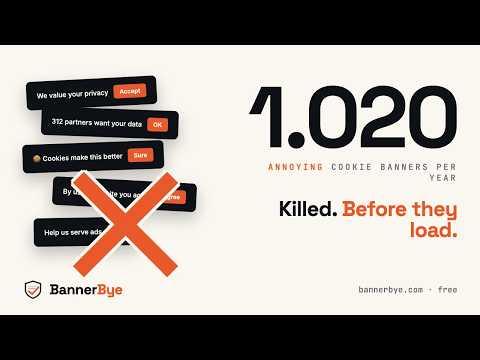
Cookie banners, killed. Before they load. Every website wants your consent. Every page asks you to choose between accepting, refusing, or scrolling through a settings menu of thirty pages. The banner takes over the screen. The refuse button is hidden. You click accept because you came to read the article. Then the next site asks you again. And the site after that. BannerBye stops this. Set your privacy preferences once, and the extension refuses every cookie banner before it reaches you, silently and automatically, on every website. ────────────────────── HOW IT WORKS BannerBye uses five independent signal layers, applied one after the other. This way it works whether a website uses a known consent platform, a banner it built itself, or nothing at all. 1. Global Privacy Control (GPC). The extension adds the official Sec-GPC header to the outgoing requests of your browser. This tells websites that you do not consent to the sale or the sharing of your personal data. It is a public web standard, recognised by law in a growing number of American states and increasingly in the European Union as well. 2. IAB TCF v2.2. When a website uses the Transparency and Consent Framework, the standard that most large European publishers and advertising technology suppliers use, BannerBye answers the consent request on your behalf with a refuse-everything signal, before the banner can appear on screen. 3. Autoconsent rules. BannerBye includes the open source Autoconsent rules, made by DuckDuckGo and published under the MPL-2.0 licence. These rules describe the refusal route for hundreds of consent platforms, including the detour through a settings screen that many platforms hide the refuse option behind. The rules are only loaded on pages that need them. 4. Consent platform handlers. For the most common consent management platforms, which are OneTrust, Cookiebot, Usercentrics, TrustArc and Didomi, BannerBye also answers the consent interface of the platform directly, before the banner appears. 5. Automatic click as a fallback. On websites with a consent screen they built themselves, the extension reads the visible button labels and clicks Refuse all or Necessary only for you. When a banner hides its refuse option behind an extra click, first Customise and then Refuse, BannerBye opens that screen and refuses there as well. ────────────────────── ALWAYS IMPROVING, REVIEWED BY ARTIFICIAL INTELLIGENCE New consent banners appear every day, so BannerBye keeps learning, without waiting for a new version. When you report a website that BannerBye missed, the analysis starts immediately. The website is examined, and as soon as Claude, made by Anthropic, has reviewed and approved the new refusal pattern, it is published. This usually happens within hours, not on a fixed schedule. Because Claude reviews every pattern, the extension only ever learns to click genuine refuse buttons and settings buttons, and never an accept button. Every copy of the extension then downloads the updated list automatically. You can see recently handled websites at bannerbye.com/fixed. ────────────────────── WHAT MAKES BANNERBYE DIFFERENT - Private because there is nothing to collect. We collect nothing at all. BannerBye has no user accounts, no visitor statistics, no measurement data and no tracking of how you use it. There is no business model here that depends on knowing what you do online. - Your data stays on your own device. The extension keeps your settings on your own device, inside the storage of your browser. Nothing is sent to a server. Nothing leaves your device. - Very little network traffic, and only in the background. From time to time the extension quietly downloads a static JSON file from bannerbye.com that contains updated button labels in various languages. That request contains no information that identifies you. - Open source and verifiable. The complete source code is public under the MIT licence at github.com/BannerBye/BannerBye. You do not have to take this description on trust. You can read the code yourself. ────────────────────── WHAT THE PERMISSION WARNING OF YOUR BROWSER MEANS When you install BannerBye, your browser shows a warning that says something like: this extension can read and change all your data on the websites you visit. That same warning appears for every extension that needs access to the content of a page. It describes what BannerBye is technically able to do. It does not describe what BannerBye actually does. What BannerBye actually does on every page: - It reads the structure of the page in order to recognise cookie banners. - It sends a refusal signal through GPC and IAB TCF. - It recognises known consent platforms and refuses on your behalf, both on known consent screens and on screens a website built itself. What BannerBye does not do on any page: - BannerBye does not read passwords, payment card details or telephone numbers. - BannerBye does not read your browsing history and does not store it. - BannerBye sends nothing to our servers, apart from the website name when you press Report broken site. - BannerBye does not follow you from website to website and does not build a profile of you. - BannerBye does not run visitor statistics, measurement data or crash reports. ────────────────────── ONE EXCEPTION: REPORTING A BROKEN WEBSITE If BannerBye ever misses a banner, the panel has a Report broken site button that works with one press. Only when you press it does the extension send the website name, for example example.com. It sends no page path, no search terms and nothing you typed. This lets us add support for that website. You may leave an email address if you want to be told once when that website has been handled. Leave it empty and your report stays completely anonymous. This is the only moment at which anything leaves your device, and it only happens when you ask for it. ────────────────────── STAYING IN CONTROL The panel lets you switch BannerBye on or off with one press. You can also pause it for a single website, for the rare case where a website does not work unless you consent, such as some video players and some articles behind a payment wall. Your list of paused websites stays on your own device and you can empty it whenever you want. ────────────────────── LEGAL BannerBye follows the Global Privacy Control standard and the IAB TCF v2.2 specification, and refuses on your behalf in line with the GDPR and the ePrivacy rules. The extension does not get around login screens, payment walls or copy protection. It only answers the consent question that every website asks. When a website offers a choice between consenting and paying, instead of a free way to refuse, BannerBye leaves that choice visible on screen. The decision is yours. ────────────────────── MORE INFORMATION Website: https://bannerbye.com Privacy statement: https://bannerbye.com/privacy Recently fixed websites: https://bannerbye.com/fixed Contact: hello@bannerbye.com Cookie banners, killed. Before they load.
5 out of 52 ratings
Details
- Version0.4.12
- UpdatedOctober 21, 2026
- Offered byBannerBye
- Size415KiB
- Languages55 languages
- DeveloperKreatrix BV
Jufferlaan 114 Son 5692 WZ NLEmail
hello@bannerbye.comPhone
+31 6 17812297 - TraderThis developer has identified itself as a trader per the definition from the European Union and committed to only offer products or services that comply with EU laws.
- D-U-N-S414858238
Privacy

BannerBye — Cookie banners, killed before they load has disclosed the following information regarding the collection and usage of your data. More detailed information can be found in the developer's privacy policy.
BannerBye — Cookie banners, killed before they load handles the following:
This developer declares that your data is
- Not being sold to third parties, outside of the approved use cases
- Not being used or transferred for purposes that are unrelated to the item's core functionality
- Not being used or transferred to determine creditworthiness or for lending purposes
Support
For help with questions, suggestions, or problems, please open this page on your desktop browser