

A1 Local SEO Checker: On-Page SEO, Accessibility & Speed

Overview
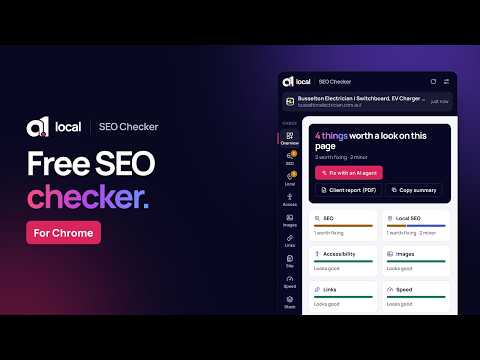
Free SEO checker for local businesses: page, site and Google Business Profile checks, with fixes you can hand to an AI agent.
Formerly A1 Multitool. Find SEO issues on the website you're viewing, highlight the affected elements, and export fixes for an AI agent, a developer or a client report. Click the icon (or press Alt+Shift+M) on any website. The checker opens in Chrome's side panel and reviews it: search basics, local business details, accessibility, images, links, loading speed and tech stack. Every finding says what's happening, why it matters and what to do next. "Show on page" highlights exactly where each issue is. HAND IT OFF • Fix with an AI agent: download a step-by-step fix brief (.md) with the exact elements, suggested code and how to check each fix. Paste it into Claude Code, Cursor, Codex or Copilot, or work through it yourself. • Client report: a branded PDF with your logo, a summary and every finding. • Copy the fix: ready-to-paste code for common problems. ON THIS PAGE • On-page SEO: a search result preview, title and meta description length, canonical and robots tags, headings, link previews and a structured data viewer. • Crawling and AI search: robots.txt, the X-Robots-Tag header, your sitemap, HTTPS, and whether AI answer engines like ChatGPT search and Perplexity can read the site. • Local SEO: LocalBusiness schema, tap-to-call phone numbers, address, map and review URLs, and your suburb in the title. Includes a schema generator pre-filled from the page. • Accessibility: unlabelled fields, unnamed buttons and links, missing alt text, low-contrast text and heading order (WCAG-based). • Images: file size, format and displayed size for every image, with oversized files and layout shift flagged. • Links: a broken link checker, nofollow and sponsored links. • Speed: Core Web Vitals from your visit (LCP and CLS), transfer weight and third-party scripts. • Tech stack: platform, frameworks, analytics tags, consent tools and chat widgets. WHOLE SITE • Site-wide SEO check: up to 50 pages from your sitemap at once, flagging errors, duplicate titles and descriptions, missing headings and thin pages. Export to CSV. GOOGLE BUSINESS PROFILE • Open a business on Google Maps and click the icon: it checks the profile you're viewing (claimed, website, phone, hours, rating and review count), gives you its direct Google review link, and compares the phone and address with the business's website. DESIGN TOOLS • Font finder: click any text to see its font, size, weight and spacing, and copy it as CSS. See the full type scale. • Color picker and contrast checker: an eyedropper, the color palette, every hard-to-read text pair found automatically, and an AA/AAA checker. • Measure: size, padding and margin of any element, and the gap between two elements. Made for small business owners, marketers, web designers and the people who look after their websites. Free, no sign-up. PRIVACY Everything runs in your browser. Page content, results and reports are never sent to A1 Local or anyone else. No account, no tracking. By default it only reads a tab after you click its icon. It remembers the pages you check on this device (to show progress since your last check and compare a website with its Google profile) — you can turn that off or clear it any time in Settings. Optional site access lets the panel follow you between tabs and test links to other websites.
5 out of 51 rating
Details
- Version1.1.0
- UpdatedOctober 3, 2026
- Size175KiB
- Languages6 languages
- DeveloperWebsite
Email
extensions@a1local.com.au - Non-traderThis developer has not identified itself as a trader. For consumers in the European Union, please note that consumer rights do not apply to contracts between you and this developer.
Privacy

This developer declares that your data is
- Not being sold to third parties, outside of the approved use cases
- Not being used or transferred for purposes that are unrelated to the item's core functionality
- Not being used or transferred to determine creditworthiness or for lending purposes
Support
For help with questions, suggestions, or problems, please open this page on your desktop browser