


Overview
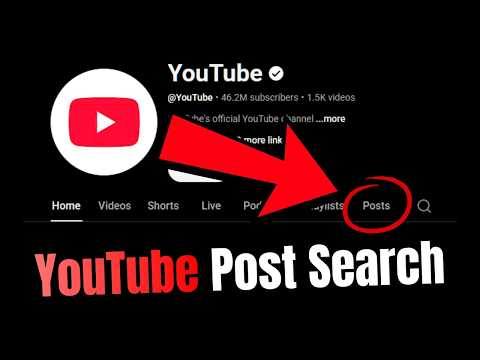
Allows Search of Community Posts
Find, Analyze & Optimize Your YouTube Posts Instantly Stop endless scrolling. Search, filter, and extract data from your Posts in seconds with YouTube Community Search. This extension is a dedicated creator utility built specifically to provide search and local metrics analysis for your YouTube Community Tab history. 🔒 100% PRIVACY-FIRST & CHANNEL SAFE This extension never asks for your Google password, never requires OAuth API permissions, and never transmits your analytics data to an external server. It processes your data entirely on your local machine using your existing, secure Creator Studio session. Your channel data stays yours. Terms and support can be found at https://lionhartweb.com/youtube-community-search/privacy/ Premium licensing keys are handled securely via Lemon Squeezy. 💡 WHY YOUR POSTS TAB MATTERS Did you know that the YouTube algorithm heavily pushes your Posts Tab (formerly known as the Community Tab) to non-subscribers? • Drive Video Traffic: According to creator case studies, optimized posts can increase a channel's overall impressions by up to 20% and act as a free traffic funnel directly to your latest videos. • Algorithm Boost: Consistent polls and image posts signal high channel engagement to YouTube, keeping your audience warm between video uploads. • The Problem: YouTube buries your old history. Finding a top-performing post or checking past poll results from months ago requires hours of scrolling. YouTube Community Search gives you an instant, searchable database of your history so you can replicate your winners, analyze your metrics, and maximize your traffic. ⚡ KEY FEATURES (FREE FOREVER) Our free plan is generous for regular users: • Instant Search & Loading: Find any past post, poll, quiz, or update by keyword in milliseconds. Our new and improved search and display algorithm now makes this nearly instant, even with thousands of posts in your library. • Top 500 Impression View: Free tier automatically displays your top 500 highest-performing posts—ensuring you instantly find your most impactful content. We’ve found that the majority of what you’ll search for will be in this top 500. • 1-Click Secure Syncing: No manual file uploading required. When you first open the extension, it safely references your local YouTube Channel ID and asks you if you want to fetch your posts instantly. • Timeline & Reach Analytics: Monitor your performance with channel-wide reach graphs broken down by day, week, or month across Lifetime, Past Year, or 90-day windows. • Accurate Interaction Tracking: Sort your posts by precise Like counts, like rates, comment counts, comment rates, vote counts, vote rates, and impressions. • Flexible UI Display: Resize into multiple columns using the new dedicated Side Panel and detached window modes to view more of your posts at once. • On-Demand Manual Refresh: Easily hit the Sync button whenever you want to pull in your newest posts and latest updated metrics (this will generally only be necessary every few months). • Data Protection: Built-in import and export backup options to easily keep your history safe. 🔥 UNLOCK PRO: THE ULTIMATE CREATOR TOOLKIT Supercharge your content strategy by upgrading to Pro via our secure licensing portal: • Unlimited Historical Library: Break past the old 500-post display limit. Pro unlocks an unlimited permanent archive. Because our new sync engine stacks data additively, your library grows forever every time you refresh. No more losing your oldest posts on every sync! • High-Capacity 5,000-Post Fetch: Pull down up to 5,000 of your top posts in a single sync action—perfect for power users and heavy posters who need deep data instantly. • Multiple Channel Support: Connect and manage up to 3 separate YouTube channels seamlessly. Use: + icon ➡ Add Channel • Post Blueprints Tab: Analyze the structure, character counts, and formats of your highest-performing posts so you can instantly replicate what works. Find the Blueprints tab at: ☰ ➡ Timeline Analytics ➡ Post Blueprints • Best Time to Post: Discover your channel's hyper-specific sweet spots with analytics breaking down the best hours of the day, days of the week, and months of the year to post for maximum engagement. Find it at: ☰ ➡ Timeline Analytics ➡ Best Time • CSV Data Export: Download your entire post database into a clean CSV for advanced offline analysis. Use: ⬇ icon ⚙ 1-CLICK SETUP Setup is easier than ever. No more manual zip file upload. See the demo above! 1. Ensure you are logged into your active YouTube Studio account (no need to be on YouTube for sync to work. As long as you are logged in, the extension will reference your active channel context to securely fetch your posts.) 2. On first install, follow the extension prompts. After first install: Click Sync ➡ Get Latest Posts. 3. The extension will safely access your local YouTube Studio tab to load your history in seconds. 4. Start searching and analyzing instantly! 5. After your first sync, sync your latest posts anytime with: Sync ➡ Get Latest Posts.
0 out of 5No ratings
Details
- Version1.2.1
- UpdatedSeptember 3, 2026
- FeaturesOffers in-app purchases
- Size3.0MiB
- LanguagesEnglish (United States)
- DeveloperMichael Ryan HartWebsite
2190 Crested Wheat Loop East Helena, MT 59635 USEmail
mike@lionhartweb.comPhone
+1 360-980-3083 - TraderThis developer has identified itself as a trader per the definition from the European Union and committed to only offer products or services that comply with EU laws.
Privacy

YouTube Community Search has disclosed the following information regarding the collection and usage of your data. More detailed information can be found in the developer's privacy policy.
YouTube Community Search handles the following:
This developer declares that your data is
- Not being sold to third parties, outside of the approved use cases
- Not being used or transferred for purposes that are unrelated to the item's core functionality
- Not being used or transferred to determine creditworthiness or for lending purposes
Support
For help with questions, suggestions, or problems, visit the developer's support site