

Flow Prompt Studio – 0.1s Bulk Automation

Overview
Flow prompt automation with instant consecutive batches, daily quota and Pro upgrade offer.
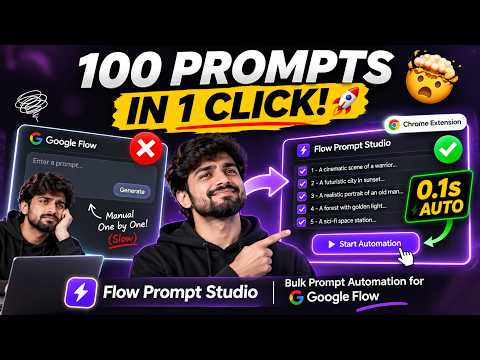
Flow Prompt Studio – 0.1s Bulk Automation 🚀 100 Prompts. One Queue. Less Clicking. More Creating. Still copying, pasting, and submitting AI prompts one by one in Google Flow? Meet Flow Prompt Studio, a powerful bulk prompt automation Chrome extension built for AI image creators, digital artists, content creators, and anyone who wants a faster, more organized workflow. Add your prompts, choose your delay, press Start, and let Flow Prompt Studio handle repetitive submissions. Stop repeating the same clicks. Start creating more. ⚡ WHY CHOOSE FLOW PROMPT STUDIO? ✨ Bulk Prompt Automation Add multiple AI prompts and submit them sequentially in Google Flow. 🚀 0.1-Second Minimum Delay Configure delays as low as 0.1 seconds between prompt submission attempts for rapid queue processing. 🎨 Built for AI Image Generation Designed for creators using Google Flow to generate AI visuals, scenes, artwork, and creative projects. 📋 Smart Prompt Queue Keep multiple prompts organized in one convenient interface instead of manually copying and pasting each prompt. ⏯️ Pause & Resume Controls Pause your workflow when needed and resume processing without manually starting every prompt again. 🗂️ Organized Prompt Workflow Manage batches and keep your creative process structured. 🖱️ Fewer Repetitive Clicks Reduce the manual effort of submitting prompts individually. 💎 Free & Pro Access Start for free and upgrade when you need higher submission limits. 🔥 POWERFUL FEATURES FOR AI CREATORS 1. BULK AI PROMPT SUBMISSION Have 10, 50, or 100 prompts ready? Instead of manually entering each prompt into Google Flow, add them to Flow Prompt Studio and process them through an automated queue. Perfect for multi-scene projects, AI storytelling, creative experiments, and visual content production. 2. ULTRA-FAST 0.1s DELAY SETTING Control the delay between consecutive prompt submission attempts. Choose a minimum delay of just 0.1 seconds when your workflow supports it, or increase the delay for a more controlled experience. No need to manually wait and click for every new prompt. 3. SIMPLE, CREATOR-FRIENDLY INTERFACE No coding knowledge required. Flow Prompt Studio provides a straightforward interface for adding prompts, configuring automation, and managing your queue. 4. PAUSE, RESUME & QUEUE MANAGEMENT Stay in control of your automation. Pause processing, resume your queue, and manage submissions according to your creative workflow. 5. DESIGNED FOR REPETITIVE CREATIVE TASKS Whether you're producing AI-generated story scenes, social media visuals, YouTube content, or artwork variations, Flow Prompt Studio helps simplify repetitive prompt entry. 💎 FREE VS PRO – CHOOSE YOUR WORKFLOW 🆓 FREE PLAN – ₹0 ✓ Up to 30 prompt submissions per day through the extension ✓ Bulk prompt queue ✓ Configurable submission delay ✓ Core automation controls ✓ Great for smaller projects 👑 PRO PLAN – ₹99 / 30 DAYS ✓ Unlimited extension-level prompt submissions ✓ No 30-prompts-per-day extension quota ✓ High-volume prompt queue workflows ✓ Ideal for frequent AI creators and larger projects ✓ One-time 30-day purchase – no automatic renewal Important: Pro removes Flow Prompt Studio's own daily submission limit. It does not remove Google Flow credits, generation limits, rate limits, or subscription requirements. 🛠️ HOW TO USE FLOW PROMPT STUDIO Step 1: Install Flow Prompt Studio from the Chrome Web Store. Step 2: Open Google Flow at flow.google.com. Step 3: Open Flow Prompt Studio and sign in. Step 4: Add your AI image prompts to the queue. Step 5: Set your preferred delay, starting from 0.1 seconds. Step 6: Press Start and let the extension submit prompts sequentially. That's it. Your prompt workflow is ready. 🎯 WHO IS FLOW PROMPT STUDIO FOR? 🎬 YouTube Creators Organize and submit prompts for AI-generated scenes and visual storytelling. 📱 Instagram & Reels Creators Streamline repetitive prompt entry for short-form visual content. 🎨 AI Artists & Designers Experiment with multiple image concepts and variations. 📖 AI Storytellers Manage prompts for scenes, characters, and storytelling sequences. 💻 Digital Creators Spend less time entering prompts and more time working on creative ideas. 🏢 Creative Teams Simplify repetitive prompt-submission workflows for visual projects. ❤️ WHY CREATORS WILL LOVE IT Your creative ideas deserve more time than repetitive clicking. Flow Prompt Studio helps turn a long list of prompts into an organized automated submission workflow. Less Copy-Paste. Less Manual Work. More Creative Freedom. 🌐 OFFICIAL WEBSITE & SUPPORT Website: https://freepdfcompress.com Support: mohit2607may@gmail.com 🔒 TRANSPARENCY & IMPORTANT INFORMATION Flow Prompt Studio is an independent third-party Chrome extension designed to work with Google Flow. It is not developed, affiliated with, endorsed by, or sponsored by Google. A Google Flow account and access to the relevant Google Flow features are required. The 0.1-second setting refers to the minimum configurable delay between submission attempts, not guaranteed image generation speed. Actual submission and generation performance depends on Google Flow, browser conditions, network connectivity, and service availability. Flow Prompt Studio does not bypass Google Flow usage restrictions, credits, rate limits, or platform policies. Paid Pro access is offered separately through the official Flow Prompt Studio website. 🚀 READY TO AUTOMATE YOUR AI PROMPTS? Install Flow Prompt Studio today and turn your prompt list into an automated creative workflow.
0 out of 5No ratings
Details
- Version11.1.1
- UpdatedNovember 13, 2026
- Size60.03KiB
- LanguagesEnglish
- DeveloperSHALUWebsite
D-124-A, Model Town EXT, HISAR, HISAR, 125001, HISAR, HR, IND HISAR, Haryana 125001 INEmail
mohit2607may@gmail.comPhone
+91 81686 82987 - TraderThis developer has identified itself as a trader per the definition from the European Union and committed to only offer products or services that comply with EU laws.
Privacy

Flow Prompt Studio – 0.1s Bulk Automation has disclosed the following information regarding the collection and usage of your data. More detailed information can be found in the developer's privacy policy.
Flow Prompt Studio – 0.1s Bulk Automation handles the following:
This developer declares that your data is
- Not being sold to third parties, outside of the approved use cases
- Not being used or transferred for purposes that are unrelated to the item's core functionality
- Not being used or transferred to determine creditworthiness or for lending purposes
Support
For help with questions, suggestions, or problems, visit the developer's support site