

Back Pocket – Save Tab Groups with History

Overview
Save tab groups with every tab's Back history and reopen them as real Chrome groups. Spot duplicates, search it all, free memory.
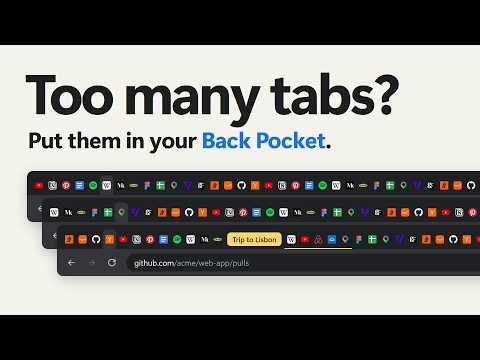
Put tab groups away and get them back later, just as they were: the same name and colour, and every tab's Back button still working. Chrome can save a tab group, but only each tab's address. Back Pocket also keeps where each tab had been, up to 50 pages a tab, so when you reopen a group, Back goes where it went before. EVERY TAB, AT A GLANCE • Every window, group and tab on one page, or in Chrome's side panel beside the page you're reading. • Pinned tabs, sleeping tabs and duplicates marked where they are. • Search names, links and every page in each tab's history. Press / to start. • Type bp and a space in Chrome's address bar to find any open or saved tab. SAVE GROUPS WITH THEIR HISTORY • Save a whole group, a single tab or a selection in one click. • Each tab's Back and Forward pages are recorded as you browse and kept until the tab closes, even through restarts. • Right-click any page, or press Alt+Shift+S, to save the tab you're on. Save every open tab at once, or merge your windows into one. • Right-click a link to save it without opening it. REOPEN THEM AS REAL CHROME GROUPS • A saved group opens with its name and colour. Tabs load only when you click them, so even a big group costs almost nothing. • Restore with history, and each tab's Back button works again. • While a group is open it stays linked to its saved copy: add, close or browse its tabs, and the saved group follows. TIDY WITHOUT FEAR • Duplicates, by link or by nearly the same title, get a colour of their own. Compare a set side by side, keep one and close the rest. • Open a page that is already open, and Back Pocket offers the tab that has it. • Drag tabs between groups and windows, pin, bookmark, and undo any change. • Bring in your tabs from OneTab, Session Buddy or Toby, or a Chrome bookmark folder, a bookmarks file, a backup or a list of links. Export a backup, or copy every link. BACK POCKET PRO • Sync: your saved groups on every computer, through a hidden folder in your own Google Drive. • Daily backups: one a day in your Drive, kept for 30 days, ready to restore. • Tab sleep: put tabs to sleep in a click, or let the ones you haven't used sleep by themselves, after a time you choose. Memory freed, place kept. Pro belongs to your Google account, yearly or for life. Everything else is free, for good. PRIVATE BY DESIGN • Your tabs, their history and your saved groups stay in Chrome, or in your own Google Drive if you sync. Back Pocket never collects them. • No sign-up, no ads, and your data is never sold. QUESTIONS Why does Chrome say "Back Pocket started debugging this browser"? Chrome shows this bar while Back Pocket reads or restores a tab's history, and it goes away when done. Back Pocket never reads what is on a page. Can it see the groups Chrome saved and closed? No extension can. Reopen one from Chrome's tab groups menu and Back Pocket sees it at once. What if my Pro plan ends? Sync and backups stop, and tabs no longer sleep by themselves. Nothing else changes: every saved group stays, and Export always works. Privacy policy: https://backpocket.marshalx.dev/privacy Help and questions: backpocket@marshalx.dev
5 out of 53 ratings
Details
- Version2026.10.4
- UpdatedOctober 22, 2026
- FeaturesOffers in-app purchases
- Size171KiB
- Languages52 languages
- DeveloperRupamWebsite
D-1B/854 Sangam Vihar New Delhi, Delhi 110062 INEmail
contact@marshalx.devPhone
+91 70110 09629 - TraderThis developer has identified itself as a trader per the definition from the European Union and committed to only offer products or services that comply with EU laws.
Privacy

Back Pocket – Save Tab Groups with History has disclosed the following information regarding the collection and usage of your data. More detailed information can be found in the developer's privacy policy.
Back Pocket – Save Tab Groups with History handles the following:
This developer declares that your data is
- Not being sold to third parties, outside of the approved use cases
- Not being used or transferred for purposes that are unrelated to the item's core functionality
- Not being used or transferred to determine creditworthiness or for lending purposes
Support
For help with questions, suggestions, or problems, visit the developer's support site