

Aymo AI - All in One AI Assistant with GPT, Claude, Gemini, and More

Overview
Access all leading AI models including GPT, Claude, Gemini, GLM, Perplexity and more.
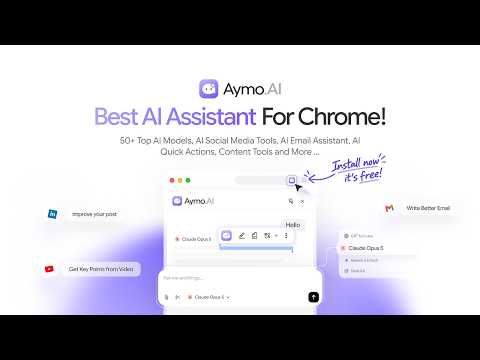
Aymo AI is a multi-model AI assistant that works alongside you as you browse. Ask questions, write faster, summarize content, explain code, translate text, research topics, and analyze documents, summerize videos, write content, take quick actions, use as email assistant directly from the sidebar. Pick the right AI model for each task, compare the answers, upload files, search the web, and collaborate with your teammates all in one place. ➤ Getting Started Add Aymo AI to Chrome, log in, and press Cmd/Ctrl+Shift+Y Open the sidebar on any page, ask a question or upload a file, and get answers from the model you choose. ➤ Why Choose Aymo AI? - Switch between AI models instantly to find the best fit for each task - Compare responses across models to find the best answer for the prompt - Chat with webpages, PDFs, documents, spreadsheets, images, and code - Write, rewrite, summarize, translate, and generate content - Summerize Youtube videos - Use AI Email Assistant - X and LinkedIn Growth tools - Search the web for updated information - Share conversations and collaborate with your team - Access multiple AI models from a single workspace. - Models are added as providers release updates. ➤ Key Features - Multi-Model AI Assistant: Work with the latest models from all leading providers under one roof and switch them based on your task. - AI Chat Everywhere: Ask anything related to the webpage you are viewing, receive real-time explanations, summarizations, and keep context from the webpage while continuing the chat. - Bring Your Own API Keys: Use your own API keys of providers to connect them with Aymo AI. - Built for Teams: All plans include shared organizations, team workspaces, and shared chats. - Chat with Documents: Upload various types of files like PDF, MS Docs, Spreadsheets, code, and images, and ask questions about them with support for bigger files in case of deep analysis. - AI Writing Assistant: Write and improve blog posts, emails, reports, and copy by using features like grammar check, paraphrase, and adjustment. - AI Coding Assistant: Create, interpret, debug, read, and learn code. - AI Research Assistant: Combine live web search with multi-model comparison to create summaries and verify the data from multiple sources. - Deep Research: Conduct comprehensive, multi-step research with a combination of web searches and multi-model comparisons. - AI Translator: Translate any selected text or document into another language. - Screen Capture: Grab any part of the screen and ask about it right away. Charts, dashboards, error messages, images with text in them. If you can see it, you can ask about it. AI Quick Actions: Built-in browser tools that help you write, read, understand, and take action across the web. Highlight text, summarize content, translate, rewrite, fix grammar, analyze screenshots, and more. AI-Powered Social Media Content Generation: Create posts, replies, quotes, and shares with AI directly on social media, while keeping everything authentic and true to your own voice. ➤ AI Quick Actions: - Highlight text: Mark anything worth keeping. Your highlights stay on the page so you can come back to them later. - Summarize: Long article, dense report, thread that never ends. Select it and get the point in a few lines. - Translate: Translate selected text into your language without leaving the page. - Rewrite: Five ways to say the same thing better: Professional, Friendly, Casual, Shorter, Punchy. Pick the tone and Aymo handles the rest. - Copy Selection: One click to copy clean text, without the formatting mess that usually comes with it. - Explain: Stuck on a term, a paragraph, or a block of code? Get a plain explanation in context. - Simplify: Turn heavy writing into something a normal person can read. - Fix Grammar: Catch typos and awkward phrasing in anything you write online, from emails to comments to forms. - Pin what you use most: Pin your favorite actions to the toolbar so the ones you reach for daily are always one click away. ➤ AI Social Media Support: - AI Post & Reply: Create better posts and replies directly on LinkedIn and X (Twitter). Aymo helps you write faster while keeping the content natural and aligned with what you want to say. - AI-Powered Social Media Actions: Quickly improve or transform posts, replies, quotes, and reposts with AI. Rewrite, refine, adjust tone, or generate a response without leaving the page. 📧 Gmail Support - AI Email Assistant Aymo AI now works inside Gmail. Summarize long threads, draft replies, and get the context you need without scrolling through the whole conversation, you ultimate email assistant for Gmail. It sits right in your inbox and speeds up how you write and respond. ▶️ YouTube Summarizer Watching a long video? Aymo AI can now summarize it for you. Click summarize, and get the key points of whatever you're watching without losing the details that matter. Frequently Asked Questions - Why use an AI aggregator instead of several AI subscriptions? An AI aggregator replaces multiple AI subscriptions with a single platform. You can use several AI models, get answers, analyze your files, and collaborate within your team. - Can I upload PDFs, documents, and images? Yes. You can upload PDFs, documents, spreadsheets, code files, and images to summarize, analyze, explain, or ask questions. - Is my data safe? Yes. All your conversations will be in your private Aymo workspace which will never be used for AI model training. Everything you need is ready in one browser extension. Add Aymo AI to Chrome and bring a powerful multi-model AI assistant to your browser.
4.7 out of 514 ratings
Details
- Version1.0.10
- UpdatedOctober 7, 2026
- Size1.76MiB
- LanguagesEnglish (United States)
- DeveloperPimjo LLCWebsite
30 N Gould St Ste R Sheridan, WY 82801 USEmail
hello@pimjo.comPhone
+1 628-399-8030 - TraderThis developer has identified itself as a trader per the definition from the European Union and committed to only offer products or services that comply with EU laws.
- D-U-N-S131217489
Privacy

This developer declares that your data is
- Not being sold to third parties, outside of the approved use cases
- Not being used or transferred for purposes that are unrelated to the item's core functionality
- Not being used or transferred to determine creditworthiness or for lending purposes
Support
For help with questions, suggestions, or problems, please open this page on your desktop browser