“Autotype - Free Text Expander”的产品徽标图片

Autotype - Free Text Expander

autotype.ai
精选
3.6(

37 个评分

)
扩展程序工作流程与规划3,000 用户
Autotype - Free Text Expander的项目媒体 5(屏幕截图)
Autotype - Free Text Expander的项目媒体 6(屏幕截图)
产品视频缩略图
Autotype - Free Text Expander的项目媒体 2(屏幕截图)
Autotype - Free Text Expander的项目媒体 3(屏幕截图)
Autotype - Free Text Expander的项目媒体 4(屏幕截图)
Autotype - Free Text Expander的项目媒体 5(屏幕截图)
Autotype - Free Text Expander的项目媒体 6(屏幕截图)
产品视频缩略图
Autotype - Free Text Expander的项目媒体 2(屏幕截图)
产品视频缩略图
Autotype - Free Text Expander的项目媒体 2(屏幕截图)
Autotype - Free Text Expander的项目媒体 3(屏幕截图)
Autotype - Free Text Expander的项目媒体 4(屏幕截图)
Autotype - Free Text Expander的项目媒体 5(屏幕截图)
Autotype - Free Text Expander的项目媒体 6(屏幕截图)

概述

Eliminate repetitive typing with shortcuts and boost your productivity.

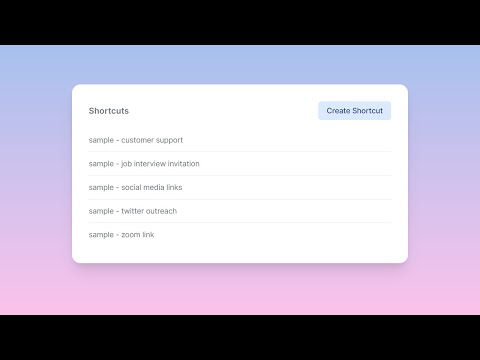
Autotype is a text expansion tool that helps you save time and effort by automating your typing. How to use: - Click on the extension icon or the "Open Dashboard" menu item to add/remove shortcuts. - Set your cursor in any text input field. - Press "Ctrl+Space" to open shortcut search. - Select any shortcut to insert its content into the text input field.

3.6 星(5 星制)37 个评分

详细了解结果和评价。

详情

  • 版本
    1.0.8
  • 上次更新日期
    2024年5月21日
  • 大小
    22.38KiB
  • 语言
    English (United States)
  • 开发者
    网站
    邮箱
    hello@autotype.ai
  • 非交易者
    该开发者尚未将自己标识为交易者。欧盟地区消费者须知:消费者权利可能不适用于您与该开发者达成的合约。

隐私权

管理扩展程序并了解它们在组织中的使用情况

“Autotype - Free Text Expander”已就收集和使用用户数据披露了以下信息。 如需了解详情,请查看开发者的privacy policy

Autotype - Free Text Expander会处理以下数据:

个人身份信息

该开发者已声明,您的数据:

  • 不会因未获批准的用途出售给第三方
  • 不会为实现与产品核心功能无关的目的而使用或转移
  • 不会为确定信用度或放贷目的而使用或转移

支持

若有任何疑问、建议或问题,请在桌面浏览器中打开此页面

Google 应用
