

AutoSPD for YouTube — AI 智慧播放速度

Overview
依影片內容自動調整 YouTube 播放速度:用關鍵字、YouTube 分類或本機 AI 判斷,支援頻道規則,直播與音樂固定 1x。
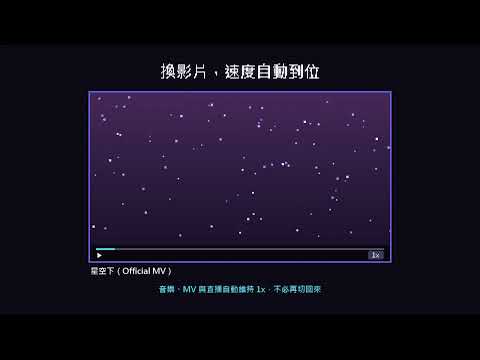
看說書、案件解說、新聞評論時想開 1.5 倍速,聽音樂、看直播時又要切回 1 倍速?AutoSPD 會依影片內容自動幫你調整 YouTube 的播放速度,不必每支影片都手動切換。 ■ 三種分類方式,自己選 ・關鍵字分類:依標題、標籤、頻道名稱比對你設定的分類與關鍵字,可以細分到你常看的內容類型。 ・YouTube 分類:使用上傳者選的影片分類,每種分類各自設定速度,結果穩定可預期。 ・AI 內容分析(實驗性):使用 Chrome 內建的 AI 模型,判斷影片實際在講什麼,不被聳動的標題誤導。模型在你的電腦上執行,資料不會上傳。 ■ 依頻道指定速度 常看的頻道可以直接指定速度,在影片頁打開 AutoSPD 就能設定,優先於所有分類。 ■ 直播與音樂 ・正在直播的影片、音樂與 MV 固定 1 倍速。 ・直播結束後的長篇重播,沒有符合分類時自動加速(預設 1.5 倍)。 ■ 其他 ・換影片、廣告結束後自動維持你的速度;用 YouTube 選單或快捷鍵手動調速時,會尊重你的選擇。 ・與 YouTube 播放器的速度選單同步。 ・可自動關閉 YouTube 自動開啟的 CC 字幕。 ・速度提示可開關。 ■ 隱私 AutoSPD 不會傳送任何資料給開發者或第三方,沒有追蹤或廣告。設定存在你的瀏覽器裡,AI 分析也在本機完成。 AI 內容分析需要 Chrome 138 以上版本,並符合 Chrome 內建 AI 的硬體需求(約 4GB 以上顯示記憶體或 16GB 記憶體,以及約 22GB 可用空間);不符合時仍可使用其他兩種分類方式。
0 out of 5No ratings
Details
- Version1.2.2
- UpdatedOctober 30, 2026
- Offered bygeorge16886
- Size33.65KiB
- Languages中文(台灣)
- Developergeorge16886
No. 19, Ln. 222, Hulin St. Taipei City, Xinyi Dist. 110 TaiwanEmail
george16886@gmail.com - Non-traderThis developer has not identified itself as a trader. For consumers in the European Union, please note that consumer rights do not apply to contracts between you and this developer.
Privacy

This developer declares that your data is
- Not being sold to third parties, outside of the approved use cases
- Not being used or transferred for purposes that are unrelated to the item's core functionality
- Not being used or transferred to determine creditworthiness or for lending purposes
Support
For help with questions, suggestions, or problems, please open this page on your desktop browser