

AutoSift - B2B Lead Automation

Overview
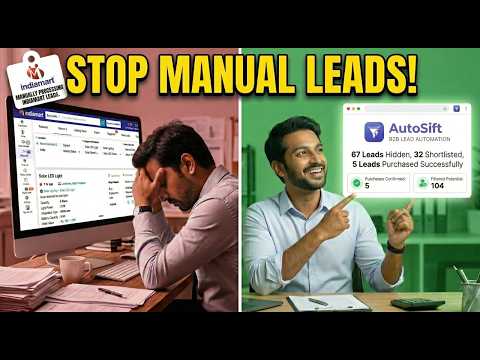
Smart automation for IndiaMart Buy Leads. Keywords, quantity & price filtering. Auto Purchase, Shortlist & Hide. Easy CSV export.
AutoSift - B2B Lead Automation for IndiaMart Sellers Save 4+ hours daily by automating your IndiaMart lead management. ⚡ v1.6.4 — Performance & Maintenance Update (October 2026) ⚡ Performance & Maintenance: General performance optimizations and maintenance updates for smooth, uninterrupted lead automation. ─────────────────────── KEY FEATURES: • Smart Keyword Filtering - Only process leads matching your products. • Quantity & Price Rules - Auto-hide low-value inquiries. • Automatic Processing - One-click to hide, shortlist, or purchase quality leads. • Location Chip Filters - Fast searchable chips for Countries, States, and Cities with smart cascading state bounds. • Custom Operating Windows - Set 12-hour automation schedule to fit your business. • Grouped Configuration - Organize filters into 3 independent keyword and price groups. • Account Safety Lock - Operating window locked for 30 days to protect account stability. • Contact Requirement Rules - Filter leads based on available contacts (Mobile, WhatsApp, Email, Website) and automatically Shortlist to save buy balance. • IndiaMART-Style SVG Cards - Upgraded visual selection checkboxes with hover tooltips. • Sleek Sticky Header - Pinned navigation bar with frosted glass backdrop resizing smoothly on scroll. • CSV Export - Download session data for CRM integration with customer name and contact number. • Background Execution - Runs intelligently even when popup is closed. • Session Statistics - Track purchased, shortlisted, and hidden leads. HOW IT WORKS: 1. Select Target Region — Choose "Domestic" for India-only buyers or "Export" for international trade leads. 2. Filter by Location — Select target Countries, States, or Cities using fast, searchable chips. 3. Configure Filtering Groups — Organize keywords into 3 independent configuration tabs. 4. Enter Product Keywords — Specify target keywords (e.g., Solar Panel, LED Bulb). 5. Set Price & Quantity Rules — Configure minimum thresholds and safety limits to prevent overspending. 6. Choose Contact Requirements — Filter leads by available contacts to protect buy balance. 7. Set Operating Windows — Lock 12-hour daily schedule to run automation safely. 8. Click Start — AutoSift processes, shortlists, or purchases matching Buy Leads automatically. SECURITY & PRIVACY: • All lead data processed locally - never sent to external servers • Secure Google authentication via Supabase • Minimal permissions required TRIAL: • 15-day free trial for all new users • Extended trial through referral program SUPPORT: • Email: autosiftindia+support@gmail.com Built by | AutoSift Team
4.2 out of 55 ratings
Details
- Version1.6.4
- UpdatedOctober 9, 2026
- Size4.1MiB
- LanguagesEnglish
- DeveloperWebsite
Email
autosiftindia+support@gmail.com - Non-traderThis developer has not identified itself as a trader. For consumers in the European Union, please note that consumer rights do not apply to contracts between you and this developer.
Privacy

AutoSift - B2B Lead Automation has disclosed the following information regarding the collection and usage of your data. More detailed information can be found in the developer's privacy policy.
AutoSift - B2B Lead Automation handles the following:
This developer declares that your data is
- Not being sold to third parties, outside of the approved use cases
- Not being used or transferred for purposes that are unrelated to the item's core functionality
- Not being used or transferred to determine creditworthiness or for lending purposes
Support
For help with questions, suggestions, or problems, visit the developer's support site