

AutoGrok - Auto send Grok prompts and download images/videos

Overview
Grok efficiency extension, batch automatic sending prompts and downloading images/videos, prompts management, and more.
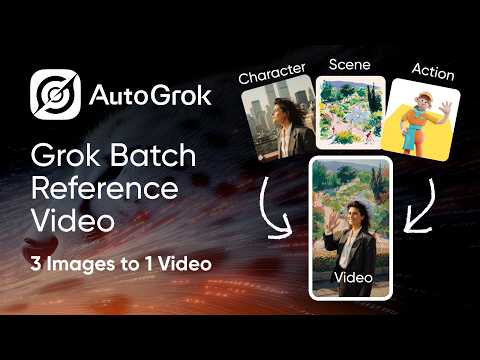
⚠️ IMPORTANT: This is a paid extension requires a subscription to use, but we offer a limited-time free trial for you to explore its features. If it helps you, leaving a ⭐⭐⭐⭐⭐ rating or a review would means a lot to our team and helps us keep improving. Thank you! 🎁 AutoGrok: Your Grok Efficiency Booster! The Accelerator for Your Creative Journey! 1. Automatic Batch Sending 2. Auto-Download & Auto-Rename 3. Image-to-Video Support: A highlight feature—Free, fast, high volume, and high creative freedom. 👍 4. Text-to-Video Support 5. Text-to-Image Support: A highlight feature—Supports infinite scrolling generation on the "Imagine" page. 👍 6. Image-to-Image Support: Supports sending single or multiple images combined with prompts. 7. Task Management: Automatic queueing, adjustable execution order, and the ability to add or remove tasks at any time. 8. Prompt Engineering Tools: Batch prefixes/suffixes, automatic batch combination of prompt templates, and prompt variable support. 9. Download Manager: Batch management of images, prompts, videos, and links. 10. Advanced Editing: Batch AI Upscaling and Batch AI Background Removal. The Advantages of Grok: 1. Video Powerhouse: Grok’s biggest strength lies in video generation. It is free, supports high volumes, works fast, and delivers impressive results. 2. Instant Images: It is also excellent for free image generation. The "Imagine" page allows for infinite scrolling generation with instant results—a unique feature not seen on other platforms.
3.1 out of 529 ratings
Details
- Version0.0.43
- UpdatedOctober 15, 2026
- FeaturesOffers in-app purchases
- Size1.79MiB
- Languages54 languages
- DeveloperWebsite
Email
support@autojourney.ai - Non-traderThis developer has not identified itself as a trader. For consumers in the European Union, please note that consumer rights do not apply to contracts between you and this developer.
Privacy

This developer declares that your data is
- Not being sold to third parties, outside of the approved use cases
- Not being used or transferred for purposes that are unrelated to the item's core functionality
- Not being used or transferred to determine creditworthiness or for lending purposes
Support
For help with questions, suggestions, or problems, please open this page on your desktop browser