

AutoFlow – Video Task Manager for Google Flow

Overview
Automate prompt queues, upscale workflows, and bulk generation for Google Veo on Flow. Third-party tool, not affiliated with Google.
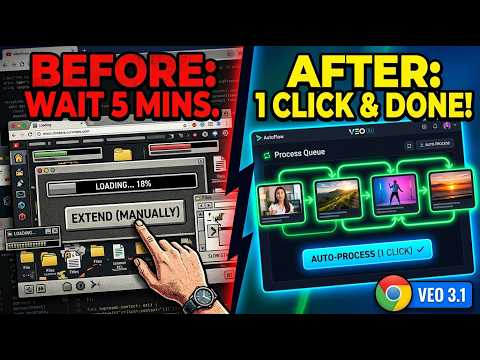
AutoFlow — Batch Video & Image Generator for Google Flow AutoFlow is a productivity side panel for Google Flow (labs.google/flow). Queue hundreds of prompts, pick your model, click Run — and let AutoFlow drive Flow for you. In v5.0 it also includes Studio, a visual workflow builder for chaining prompts, reference images and generations together. Built for content creators, marketers, animators and anyone producing AI video at volume. ━━━━━━━━━━━━━━━━━━━━━━━━━ 🆕 WHAT'S NEW IN v5.0 ━━━━━━━━━━━━━━━━━━━━━━━━━ ⚡ AUTOFLOW STUDIO — VISUAL WORKFLOW BUILDER Build a workflow on a canvas instead of a list. Connect a prompt to a generation, feed that result into the next one, and run the whole chain in one click. • 12 ready-made workflows with working example prompts — nothing to write before your first run • Character consistency — generate a character sheet once, then reuse it as a reference so the same face carries across every shot • Multi-reference generation — lock face, outfit and scene with separate reference images so a new outfit doesn't quietly change the face • Virtual try-on — combine a person photo with an outfit photo, then turn the result into clips • Product UGC — put a model in your own product photo, so the product keeps its real shape and colour • B-roll packs — batch several cutaways in a single run • ChatGPT support — design an image on ChatGPT, then animate it on Flow • Save, reload, import and export workflows as JSON 🔧 ALSO IN v5.0 • 10-second clips available on every video node • Corrected model names throughout, matching Flow's current lineup • More reliable Image→Video switching in multi-step workflows • Studio opens your Flow project automatically if no tab is open ━━━━━━━━━━━━━━━━━━━━━━━━━ 🎬 CORE FEATURES ━━━━━━━━━━━━━━━━━━━━━━━━━ BATCH PROMPT QUEUE Paste 1 to 2,000+ prompts at once. Each becomes its own generation task. AutoFlow types the prompt, applies every setting, clicks Generate, waits for completion, then moves to the next — hands-free. THREE AUTOMATION MODES • FULL — creates a new project, fills every field, runs unattended • FLOW — runs inside your current Flow session for maximum control • LITE — pastes prompts only; you drive the rest ALL CURRENT FLOW MODELS • Omni Flash — high-speed video, supports 10-second clips • Veo 3.1 Quality / Fast / Lite — choose fidelity vs speed • Nano Banana Pro / Nano Banana 2 — fast image models • Imagen 4 — high-detail image generation DURATION, RATIO & COUNT Set clip length (4s, 6s, 8s, 10s), aspect ratio (16:9 or 9:16) and generations per prompt. Change any of it inline on the queue card — no trip back to Settings. REFERENCE IMAGES & FRAME CHAINS • Attach reference images per prompt, or share them across a whole queue as ingredients • Frame-to-Video: upload N images to generate N-1 seamless transitions from consecutive start/end frames • The backbone of character-consistent content VOICE CHARACTERS Assign a voice ingredient so narration stays consistent across clips. QUEUE MANAGEMENT • Multiple named queues, each with its own configuration • Inline editing of model, duration, ratio and generations • Reorder queues, or sync one to your current Settings in a click • Pause, resume, stop, skip, and retry failed prompts • Live progress and run logs BATCH DOWNLOAD & LIBRARY SCANNER • Auto-download video in 720p, 1080p upscaled or 4K • Auto-download images in 1K, 2K or 4K • Browse your full Flow output history, filter and search it • See which model and prompt produced each asset • Bulk-select and download in one go SMART RETRY & ERROR HANDLING Failed generations are flagged with a readable reason, retryable individually or in bulk, with optional auto re-prompt and configurable stop-on-error. MULTI-LANGUAGE Interface in English, العربية, Français and Español. AutoFlow also recognises Google Flow's own interface in 13 languages, so automation keeps working whatever language Flow is displayed in. Your prompts are never translated. ADVANCED SETTINGS Wait times between prompts, variable-speed typing, human-like interaction pacing, and completion notifications with optional sound. ━━━━━━━━━━━━━━━━━━━━━━━━━ 💎 FREE & PRO ━━━━━━━━━━━━━━━━━━━━━━━━━ FREE — 100 text prompts per day, plus 15 Studio workflow runs per month and workflows up to 5 nodes. Full access to every core feature. No credit card. PRO — Unlimited prompts and Studio runs, unlimited workflow size, priority support and early access to new features. ━━━━━━━━━━━━━━━━━━━━━━━━━ 🔒 PRIVACY ━━━━━━━━━━━━━━━━━━━━━━━━━ • Your prompts, queues, images and settings are stored locally in your browser • Prompt text is never sent to AutoFlow's servers. Our backend receives only counts — how many prompts you ran — to enforce plan limits • Two optional features do send prompt text to a third party, and only when you turn them on: AI Assist (to Google Gemini, using your own API key) and ChatGPT workflow nodes (to chatgpt.com, using your own logged-in session) • AutoFlow runs only on Google Flow (labs.google/flow), and on chatgpt.com if you use a ChatGPT node • No tracking, no analytics, no third-party data sharing • An AutoFlow account is required, so plan limits can be applied to your usage ━━━━━━━━━━━━━━━━━━━━━━━━━ ⚠️ DISCLAIMER ━━━━━━━━━━━━━━━━━━━━━━━━━ AutoFlow is an independent third-party productivity tool. It is NOT made by, affiliated with, endorsed by or connected to Google in any way. AutoFlow automates your own interactions with Google Flow inside your own browser session. Use of this tool is subject to Google Flow's terms of service. 🌐 auto-flow.studio 📧 amine.smpc@gmail.com
4.7 out of 575 ratings
Details
- Version9.2
- UpdatedOctober 19, 2026
- Size431KiB
- LanguagesEnglish
- DeveloperMohammed fekraouiWebsite
avenue tripoli quartier el fath outat el haj Outat Elhaj 33300 MAEmail
amine.smpc@gmail.com - TraderThis developer has identified itself as a trader per the definition from the European Union and committed to only offer products or services that comply with EU laws.
Privacy

AutoFlow – Video Task Manager for Google Flow has disclosed the following information regarding the collection and usage of your data. More detailed information can be found in the developer's privacy policy.
AutoFlow – Video Task Manager for Google Flow handles the following:
This developer declares that your data is
- Not being sold to third parties, outside of the approved use cases
- Not being used or transferred for purposes that are unrelated to the item's core functionality
- Not being used or transferred to determine creditworthiness or for lending purposes