

AutoFlow ContentGen
16 ratings
)
Overview
Automate multi-shot image generation on Google Flow using Nano Banana 2 & Pro
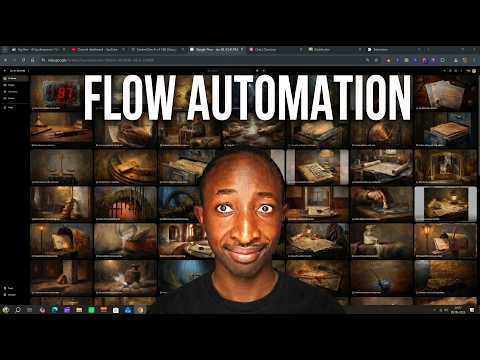
AutoFlow ContentGen turns Google Flow into a batch content engine. Instead of running prompts one at a time, queue dozens of shots, hit generate, and let the extension drive Flow for you — then download all the results, neatly organized. ⚡ Built for creators who generate at volume — storyboards, ad variations, trailers, social content, and concept frames. — FEATURES — • Multi-shot queue — paste a list of [SHOT N] prompts and generate them all in sequence. • Image + video models — Nano Banana 2, Nano Banana Pro, and Veo 3.1 (Lite / Fast / Quality) plus Omni Flash. • Per-shot model overrides — set a different model on any individual shot. • Parallel shots — submit several prompts at once for faster throughput (configurable). • Save to folder — every shot lands in Downloads/<your project>/ as shot_001, shot_002, … • Auto-download — save each result the moment it finishes. • Download All (ZIP) — grab the whole batch in one file. • Characters & Frames (beta) — reference uploaded images by name for consistency. • Side panel UI — controls live in Chrome's side panel, active only on Flow tabs. • Adjustable delays — tune timing so Flow keeps up. — HOW IT WORKS — 1. Open a Google Flow project (labs.google/fx/tools/flow). 2. Click the extension icon to open the side panel. 3. Pick your model, paste your [SHOT N] prompts, and set a save folder. 4. Click Generate All Shots — results download automatically. — PRIVACY — 100% free. No accounts, no licensing, no tracking, no ads. The extension stores your settings locally and only talks to Google's own domains to run the automation and download your media. Full policy: <https://jonesmbusodev.github.io/autoflow-privacy/> — NOTE — AutoFlow ContentGen is an independent, unofficial tool. It is not affiliated with, endorsed by, or sponsored by Google. "Google Flow", "Veo", and related names are trademarks of their respective owners.
4.5 out of 516 ratings
Details
- Version1.9.12
- UpdatedSeptember 24, 2026
- Offered byAlgobra Media Apps
- Size333KiB
- LanguagesEnglish
- Developer
Email
jonesmbusodev@gmail.com - Non-traderThis developer has not identified itself as a trader. For consumers in the European Union, please note that consumer rights do not apply to contracts between you and this developer.
Privacy

This developer declares that your data is
- Not being sold to third parties, outside of the approved use cases
- Not being used or transferred for purposes that are unrelated to the item's core functionality
- Not being used or transferred to determine creditworthiness or for lending purposes