

AutoFlick

Overview
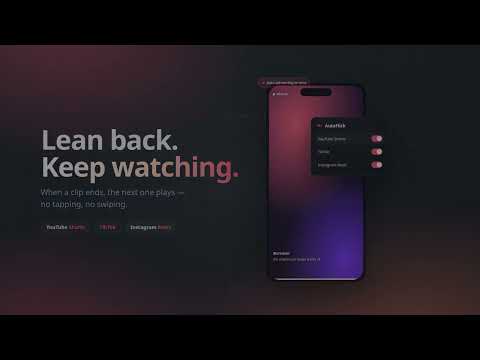
Automatically flicks to the next video on YouTube Shorts, TikTok, and Instagram Reels when the current one ends.
Lean back and keep watching. AutoFlick turns your short-form feeds into a continuous, hands-free playlist. The native feeds either loop the same clip forever or wait for you to swipe — AutoFlick watches the active video and triggers the platform's own "next" action the moment playback finishes, so the feed just keeps going. Works where you watch - ▶ YouTube Shorts — advances on /shorts/ pages and stops clips from looping - ▶ TikTok — scrolls the next feed item into view when the video ends - ▶ Instagram Reels — clicks the native "next Reel" control on /reels pages Your feeds, your rules - One switch per site in a clean toolbar popup - Turn auto-advance on or off for each platform independently - Changes apply to open tabs instantly — no restart needed - Your settings are remembered and stay in sync across tabs Private by design - No tracking, no analytics, no remote calls of any kind - Requests a single permission — `storage` — used only to remember your on/off toggles - Runs entirely in your own browser; nothing leaves your device - Activates only on the relevant pages and cleans up after itself when turned off AutoFlick automates the same actions you'd take by hand. Use it for personal convenience, at your own discretion.
0 out of 5No ratings
Details
- Version1.0.1
- UpdatedAugust 18, 2026
- Size23.49KiB
- LanguagesEnglish
- Developer
Email
redactionact@hawkinstech.dev - Non-traderThis developer has not identified itself as a trader. For consumers in the European Union, please note that consumer rights do not apply to contracts between you and this developer.
Privacy

This developer declares that your data is
- Not being sold to third parties, outside of the approved use cases
- Not being used or transferred for purposes that are unrelated to the item's core functionality
- Not being used or transferred to determine creditworthiness or for lending purposes
Support
For help with questions, suggestions, or problems, visit the developer's support site