

AutoFill — Smart Form Filler

Overview
One-click autofill for job applications, Google Forms, and ATS portals. AI-powered form automation by One8Labs using local profile.
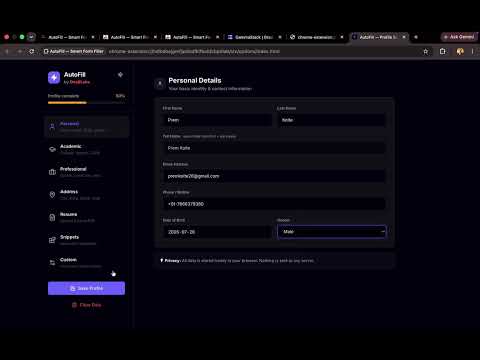
AutoFill is the smartest way to automatically fill out complex job applications, university portals, and Google Forms. Stop typing your name, email, and graduation year over and over. AutoFill lets you create a unified, personalized profile that travels with you across the web. Key Features: - One-Click Filling: Detects form fields automatically and fills them based on your saved profile. - Smart Mapping: Uses intelligent matching to handle complex or vaguely worded questions. - Custom Fields: Add any unique fields you want (like your GitHub URL, Portfolio link, or specific college questions). - 100% Privacy-Focused: Your profile data is stored securely on your local device. It is never uploaded or sent to external servers. Save hours of repetitive typing and apply to roles faster with AutoFill!
5 out of 52 ratings
Details
- Version2.0.2
- UpdatedAugust 7, 2026
- Size707KiB
- LanguagesEnglish
- DeveloperPrem Shivaji KolteWebsite
SARASWATI NIWAS H NO-410,CANCA,BANDH MAPUSA, Goa 403510 INEmail
contact.one8labs@gmail.comPhone
+91 76663 79380 - TraderThis developer has identified itself as a trader per the definition from the European Union and committed to only offer products or services that comply with EU laws.
Privacy

AutoFill — Smart Form Filler has disclosed the following information regarding the collection and usage of your data. More detailed information can be found in the developer's privacy policy.
AutoFill — Smart Form Filler handles the following:
This developer declares that your data is
- Not being sold to third parties, outside of the approved use cases
- Not being used or transferred for purposes that are unrelated to the item's core functionality
- Not being used or transferred to determine creditworthiness or for lending purposes