


概要
Dropshipping products finding, importing & automated orders from worldwide suppliers
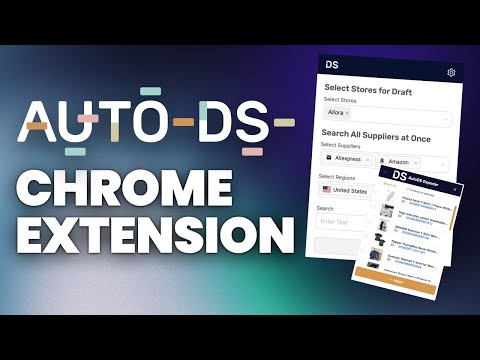
AutoDS - Automatic Dropshipping Tools Sell dropshipping products with the helping hand of professional automation. Import products and accept sales using any of 20+ supported US, EU & CN suppliers. AutoDS is the only companion you will need to rise to the top of the dropshipping world. Take regular breaks as we automate all your key processes like orders, returns and imports. Try it for free! Dropshipping can be a time-consuming slog when you are not partnered with the right tool. Use AutoDS to automate your entire dropshipping business. This AutoDS extension provides you with all of our automation benefits directly from your toolbar. Just click to explore your store’s performance in one easy dashboard. --- How AutoDS saves you time daily Features: Search and Import Products: 1. Select the stores you want to import products to. You can choose more than one at the same time. 2. Choose the suppliers you want to search and import from. 3. Select the shipping region (“Ships From”) you want products to come from. 4. Enter the product keyword in the search bar (e.g., headphones). 5. Click "Search Now". The extension will open all the supplier websites in new tabs automatically. Importing Products To import a single product, simply click the “+” button on the product image while browsing the supplier’s site. To import multiple products at once: 1. Click the AutoDS Helper icon (DS logo) on the page. 2. A table will appear with all the detected products. 3. Use the checkboxes to select multiple items, then click + Import. Publish to Store By default, products are added as Drafts. If you want to publish directly to your store: 1. Click the gear icon (:gear:) in the extension. 2. Change the setting from “Draft to Store” to “Publish to Store.” 3. Update the setting to apply it. Speed up your manual order fulfillment with the new Order Address Copier! This feature allows you to quickly copy buyer shipping addresses from the AutoDS Orders page and effortlessly paste them into supplier checkout pages like eBay, Amazon, AliExpress, and Walmart: 1. Copy buyer addresses in one click: Choose to copy the full address or address without the phone number. 2. Quick paste to supplier sites: Automatically fills checkout forms on supported suppliers. 3. Supported platforms: eBay, Amazon, AliExpress, Walmart. 4. Save time, reduce manual errors, and streamline your manual order process. Perfect for dropshippers using manual ordering workflows who want to speed up their daily operations! --- Start automating your dropshipping today! Add our AutoDS Chrome extension for free.
5 点満点で 4.1176 件の評価
詳細
プライバシー

このデベロッパーは、お客様のデータについて以下を宣言しています
- 承認されている以外の用途で第三者に販売しないこと
- アイテムの中心機能と関係のない目的で使用または転送しないこと
- 信用力を判断する目的または融資目的で使用または転送しないこと
サポート
質問や提案、問題がある場合は、パソコンのブラウザでこのページを開いてください