

AutoApplyHQ

Overview
Save jobs and prepare application autofill from AutoApplyHQ.
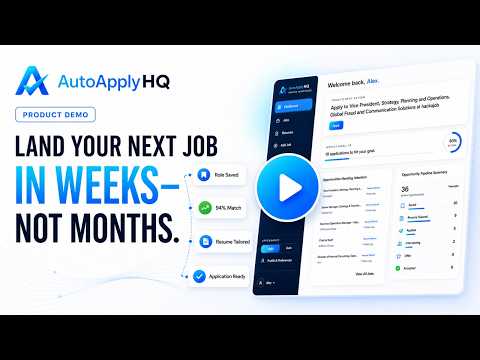
Apply Smarter. Interview Faster. Save jobs. Know your fit. Tailor your resume. Autofill applications. Stay in control. AutoApplyHQ connects every stage of your job search into one professional workflow. Instead of juggling browser tabs, resumes, spreadsheets, notes, and application portals, use the AutoApplyHQ Chrome extension alongside the AutoApplyHQ web app to save opportunities, evaluate your fit, tailor your resume, autofill supported application fields, and keep every opportunity moving forward. The extension works where you already search for jobs, while the web app helps you prepare stronger applications and manage the rest of your search. COMPLETE YOUR JOB SEARCH IN ONE CONNECTED WORKFLOW 1. Save jobs with one click Capture opportunities directly from supported job sites including LinkedIn and Indeed. AutoApplyHQ automatically saves key job details—including the title, company, location, job description, and application link—to your dashboard so you can stop copying and pasting between tabs. 2. Know how well the role fits Before investing time in another application, compare your experience against the job description. Review: • Compatibility score • Strengths • Skill gaps • Personalized recommendations Focus your effort on opportunities that best match your experience. 3. Tailor your resume Generate a role-specific resume using your existing AutoApplyHQ resume profile. Review the tailored version, make edits if needed, and select the best resume for the opportunity before applying. 4. Autofill repetitive application fields Stop entering the same information over and over. AutoApplyHQ can populate supported application fields including: • Employment history • Work experience • Contact information You stay in control of every field before submission. 5. Keep every opportunity moving forward Your AutoApplyHQ dashboard keeps your search organized in one place. Track: • Recommended Next Move • Priority Jobs • Pipeline Summary • Upcoming Interviews • Weekly Progress Instead of wondering what to do next, AutoApplyHQ helps you focus on the highest-impact action. BUILT FOR THE AUTOAPPLYHQ WEB APP The Chrome extension is designed to work together with the AutoApplyHQ web application. Continue your workflow by: • Reviewing saved jobs • Running compatibility analysis • Tailoring resumes • Tracking applications • Preparing for interviews • Managing every opportunity from a single workspace Together, the extension and web app connect the entire journey—from discovering a role to preparing for interviews. DESIGNED FOR A THOUGHTFUL JOB SEARCH AutoApplyHQ is built for professionals pursuing targeted, high-quality opportunities. It is not designed to submit applications automatically or apply to hundreds of jobs without review. Instead, AutoApplyHQ helps you: • Spend less time on repetitive tasks • Prepare stronger applications • Stay organized • Focus on opportunities that fit your experience YOU REMAIN IN CONTROL AutoApplyHQ only acts when you choose. • Saving jobs is initiated by you • Autofill is initiated by you • Existing information is preserved whenever possible • Review every populated field before submitting • AutoApplyHQ never clicks the final Submit Application button You decide what gets submitted and when. SUPPORTED SITES Job capture is optimized for: • LinkedIn • Indeed Autofill supports fields on many modern applicant tracking systems, including: • Workday • Oracle Recruiting Compatibility varies by employer implementation and page layout. Always review your application before submitting. WHY PROFESSIONALS INSTALL AUTOAPPLYHQ Stop: • Re-entering your resume into every application • Forgetting where you applied • Wondering what deserves your attention next • Losing jobs in browser tabs • Switching between resumes • Copying job descriptions Start: ✓ Saving the right opportunities ✓ Knowing your fit before applying ✓ Tailoring stronger resumes ✓ Autofilling repetitive application fields ✓ Tracking your entire job search from one dashboard ✓ Always knowing your highest-impact next move An AutoApplyHQ account and an eligible plan are required to use connected extension features. Hiring decisions remain with employers. AutoApplyHQ assists with organization, resume preparation, and supported autofill workflows, but does not guarantee interviews, offers, or employment.
0 out of 5No ratings
Details
- Version0.2.0
- UpdatedAugust 10, 2026
- FeaturesOffers in-app purchases
- Size1.41MiB
- LanguagesEnglish
- Developer
Email
support@autoapplyhq.com - Non-traderThis developer has not identified itself as a trader. For consumers in the European Union, please note that consumer rights do not apply to contracts between you and this developer.
Privacy

AutoApplyHQ has disclosed the following information regarding the collection and usage of your data. More detailed information can be found in the developer's privacy policy.
AutoApplyHQ handles the following:
This developer declares that your data is
- Not being sold to third parties, outside of the approved use cases
- Not being used or transferred for purposes that are unrelated to the item's core functionality
- Not being used or transferred to determine creditworthiness or for lending purposes