

Auto Typer: Paste Once, Let It Type

Overview
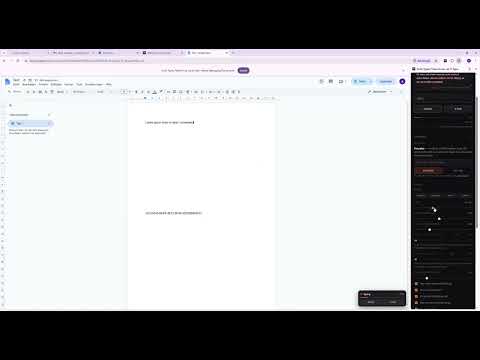
Paste your text once and Auto Typer types it into any page, keystroke by keystroke, with a natural rhythm. Works in Google Docs.
Paste your text once. Auto Typer types it into the page for you, keystroke by keystroke — so you can get on with something else. It works where pasting doesn't: • Google Docs — typed in through Chrome's own input path, as real key events • Fields and forms that disable paste • Comment boxes, message fields and most in-browser editors — click into one and it types there HOW IT WORKS 1. Open the page you want the text in. 2. Click the Auto Typer icon and paste your text into the side panel. 3. Press Start, then click where it should go. Press Esc to stop at any time. TYPES LIKE A PERSON • Natural, uneven rhythm instead of machine-regular keystrokes • Slower reaches for Shift and punctuation, a beat at the end of each sentence • Optional typos that get noticed and corrected • Adjustable speed from 15 to 180 words per minute — and the dial is calibrated, so 65 wpm really is 65 • Presets: Careful, Average, Fast, Sloppy • A progress badge on the page, with Pause and Stop FREE AND PRO Auto Typer is free for up to 2,000 characters a day, one block at a time. Pro is coming soon as an optional one-time upgrade: no daily limit, several blocks typed into different places in one run, and extra realism settings (typos left uncorrected, second-guessing). PRIVATE BY DESIGN Your text stays on your computer. No account, no analytics, no tracking — this version of Auto Typer doesn't send anything anywhere. A NOTE ON THE "DEBUGGING" BAR Google Docs only accepts keystrokes Chrome itself generates. Auto Typer produces those through Chrome's debugging interface, so Chrome shows a notice bar while it types. It attaches only for the duration of a run and detaches when it's done. Works in Chrome on Windows and Mac. Questions or problems: autotyper.help@gmail.com
0 out of 5No ratings
Details
- Version1.0.0
- UpdatedOctober 29, 2026
- Size62.15KiB
- LanguagesEnglish (United States)
- Developer
Email
autotyper.help@gmail.com - Non-traderThis developer has not identified itself as a trader. For consumers in the European Union, please note that consumer rights do not apply to contracts between you and this developer.
Privacy

This developer declares that your data is
- Not being sold to third parties, outside of the approved use cases
- Not being used or transferred for purposes that are unrelated to the item's core functionality
- Not being used or transferred to determine creditworthiness or for lending purposes
Support
For help with questions, suggestions, or problems, visit the developer's support site