

Auto Scroller
5 ratings
)
Overview
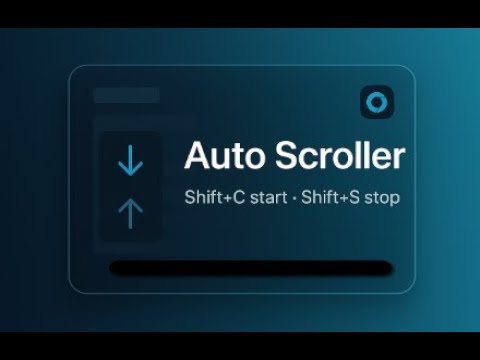
Hands-free auto scrolling. Shift+C start, Shift+S stop. Floating button. Free 60s limit, PRO unlock in Options.
Does your right index finger hurt scrolling web pages? Or are you looking for a faster, more automatic way to scroll through a specific page? Try Auto Scroller — your hands-free way to read long pages, social feeds, docs, and dashboards without touching the mouse. Sit back while the page glides at a steady pace so you can focus on content, not scrolling. 🙌 Auto Scroller starts with a simple idea: press Shift+C to begin and Shift+S to stop. Need to flip the direction? Use the built-in controls or the bottom-right floating button to switch down ⬇️ or up ⬆️ on the fly. Choose from clean, sensible speed presets (Very Slow, Slow, Medium), or unlock Fast and Ludicrous for rapid scanning. Prefer a specific pace? Set a custom pixels-per-second speed and let it glide. ⚡ A minimal floating button appears on every page for quick control: click to start/stop, right-click or Alt+Click to toggle direction. It’s perfect for Reddit, Twitter/X, news sites, or any infinite feed where scrolling becomes a chore. 🖱️ Keyboard-first by design Open the Options page to customize in-page shortcuts (e.g., shift+c, ctrl+alt+j). Tailor direction defaults, pick your favorite speed preset, and enable auto-start per site for the places you browse most. 🎛️ Made to feel native Auto Scroller keeps a low profile with a professional look, subtle animations, and a tidy badge indicator. It runs on any page you visit and stores settings using Chrome’s sync storage, so your preferences follow you. No external accounts required. 🧭 Why you’ll love it Smooth, reliable scrolling on every site Quick start/stop and instant direction switches ⏯️ Thoughtful defaults that “just work” Deep customization when you want it Great for passive reading, productivity dashboards, and accessibility use cases FREE vs PRO The free version includes all core features with a 60-second per-start limit. When the limit is reached (or you select a PRO-only feature like Fast/Ludicrous/Custom speed), you’ll see a friendly alert. Enter your code in Options to unlock PRO—no restarts required. 🔓
3.6 out of 55 ratings
Details
- Version1.3.0
- UpdatedJune 4, 2026
- FeaturesOffers in-app purchases
- Offered byemailsoft
- Size16.33KiB
- LanguagesEnglish
- Developer
Email
tuttoemailsoft@gmail.com - Non-traderThis developer has not identified itself as a trader. For consumers in the European Union, please note that consumer rights do not apply to contracts between you and this developer.
Privacy

This developer declares that your data is
- Not being sold to third parties, outside of the approved use cases
- Not being used or transferred for purposes that are unrelated to the item's core functionality
- Not being used or transferred to determine creditworthiness or for lending purposes
Support
For help with questions, suggestions, or problems, please open this page on your desktop browser