

Auto Refresh That Never Stops – Smart Sentinel

Overview
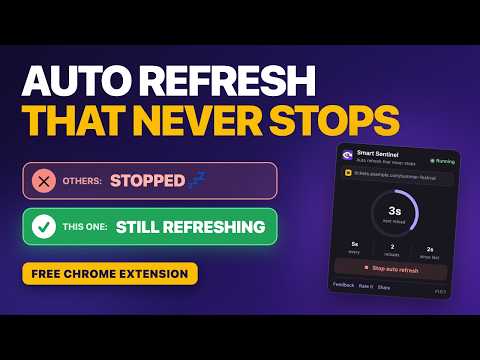
Auto refresh that keeps going through sleep, restarts and errors. Reload on a timer, at an exact time or at random intervals.
Your auto refresh stopped while you were away? This one doesn't. Smart Sentinel reloads any tab on a timer, at an exact time or at random intervals, and keeps going when other auto refreshers quietly stop: after Chrome puts the tab to sleep, after a browser restart, or when the page throws an error. HOW IT WORKS 1. Open the page you want refreshed and click the Smart Sentinel icon. 2. Pick an interval (5s, 10s, 30s, 1m, 5m, 15m or your own), or a time window. 3. Press Start. The popup shows a countdown to the next reload. Press Stop when you're done. WHY IT NEVER STOPS • A watchdog restarts a stalled timer • Your rules come back after a browser restart, after sleep, or when you reopen the page • Keeps refreshing tabs awake, so Chrome's Memory Saver doesn't put them to sleep • Rides out errors: if a page fails to load (like 503 or 429) it waits longer between tries, then returns to your interval • Pauses while you're offline instead of loading Chrome's error page, and picks up once you're back FEATURES • Any interval: presets from 5 seconds to 15 minutes, or your own in seconds, minutes or hours • Reload at an exact time: every second from 9:59:55 to 10:00:10 for a ticket sale or a booking, once at a set moment, or every 5 minutes through the working day, every day if you like • Random interval: each wait is picked within a range (say 30–60s), so reloads don't follow a fixed rhythm • Stop automatically after a number of reloads or a set time • Hard reload: skip the cache, like Ctrl+Shift+R • This page or the whole site: keep refreshing as you move between pages of a site • Live countdown, reload count and time since the last reload • Light and dark theme, following your system • Free: no account, no ads, no paid tier PRIVACY No account, no tracking. Your rules stay on your computer. Smart Sentinel asks for access to a site only when you start refreshing it, and only for that site. Short surveys (after installing, on uninstall, or via Feedback) are optional. Guide and FAQ: https://web-whizz.com/e/smart-sentinel/ Questions or ideas? support@web-whizz.com. Enjoying it? A quick rating helps others find it.
5 out of 52 ratings
Details
- Version1.0.1
- UpdatedNovember 27, 2026
- Size85.13KiB
- LanguagesEnglish
- DeveloperWebsite
Email
support@web-whizz.com - Non-traderThis developer has not identified itself as a trader. For consumers in the European Union, please note that consumer rights do not apply to contracts between you and this developer.
Privacy

Auto Refresh That Never Stops – Smart Sentinel has disclosed the following information regarding the collection and usage of your data. More detailed information can be found in the developer's privacy policy.
Auto Refresh That Never Stops – Smart Sentinel handles the following:
This developer declares that your data is
- Not being sold to third parties, outside of the approved use cases
- Not being used or transferred for purposes that are unrelated to the item's core functionality
- Not being used or transferred to determine creditworthiness or for lending purposes
Support
For help with questions, suggestions, or problems, visit the developer's support site